Getting started with iECHO
Join your ECHO Program from the link you received, then find your way around your new learning home.
- Register in a few minutes
- Find your way around iECHO
- Join your first session
Open your program link
- Program page
- Basic details
- Verification
- Professional details
Find the linkThe one your program coordinator shared with you.
Open it in your browserThe program's page opens on iecho.org, on your phone or your computer.
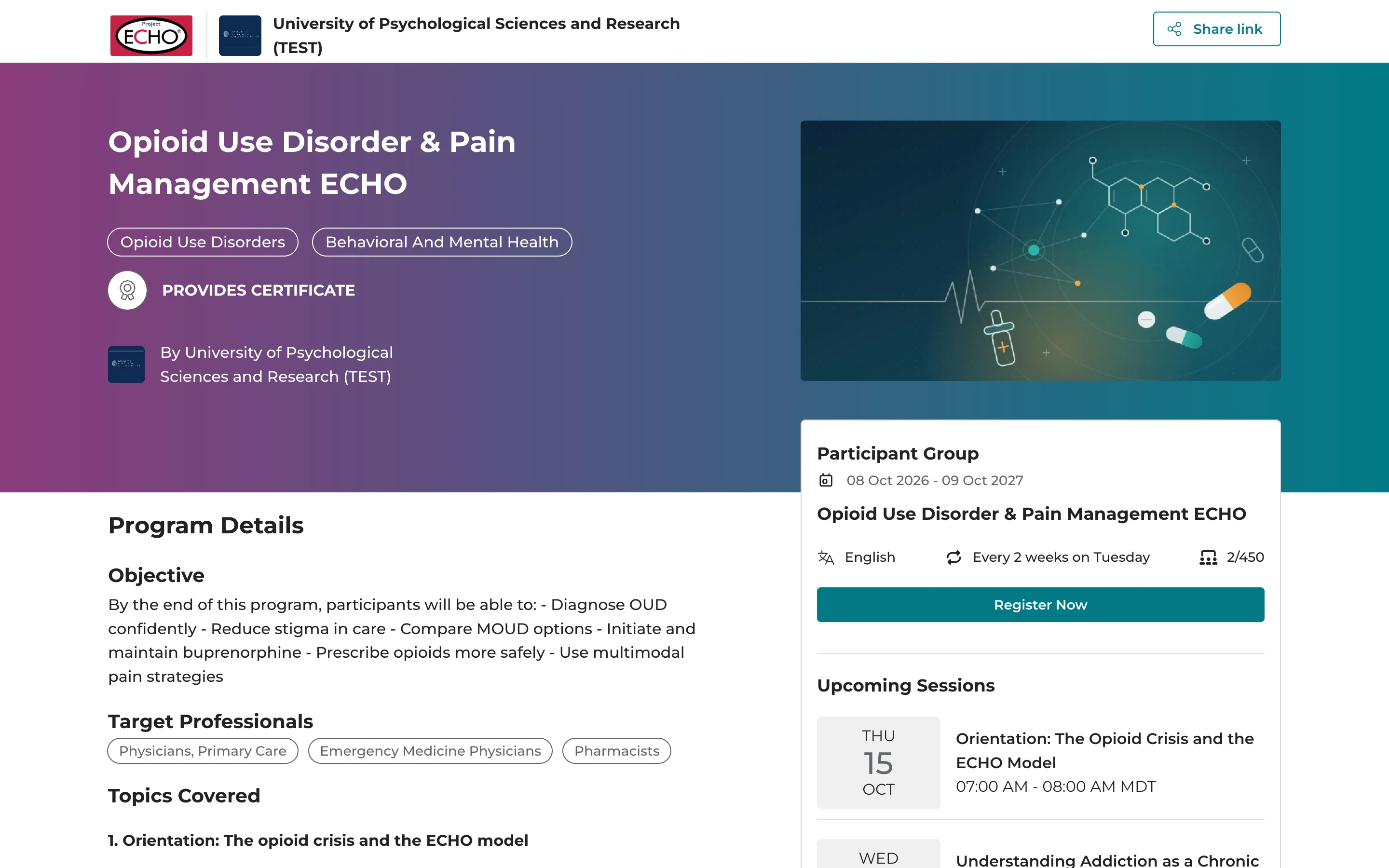
Explore the program
- Program page
- Basic details
- Verification
- Professional details
ObjectiveWhat you'll be able to do by the end of the program.
Target professionalsWho the program is designed for.
Topics coveredWhat the sessions will explore.
Upcoming sessionsWhen the group meets, in your own time zone.
Choose your participant group
- Program page
- Basic details
- Verification
- Professional details
Find the groupIt's on the right of the program page.
Check that it suits youIts language, how often sessions are held and how many spots are open.
Select Register NowWith more than one group, register for the one that fits.
Choose your language and city
- Program page
- Basic details
- Verification
- Professional details
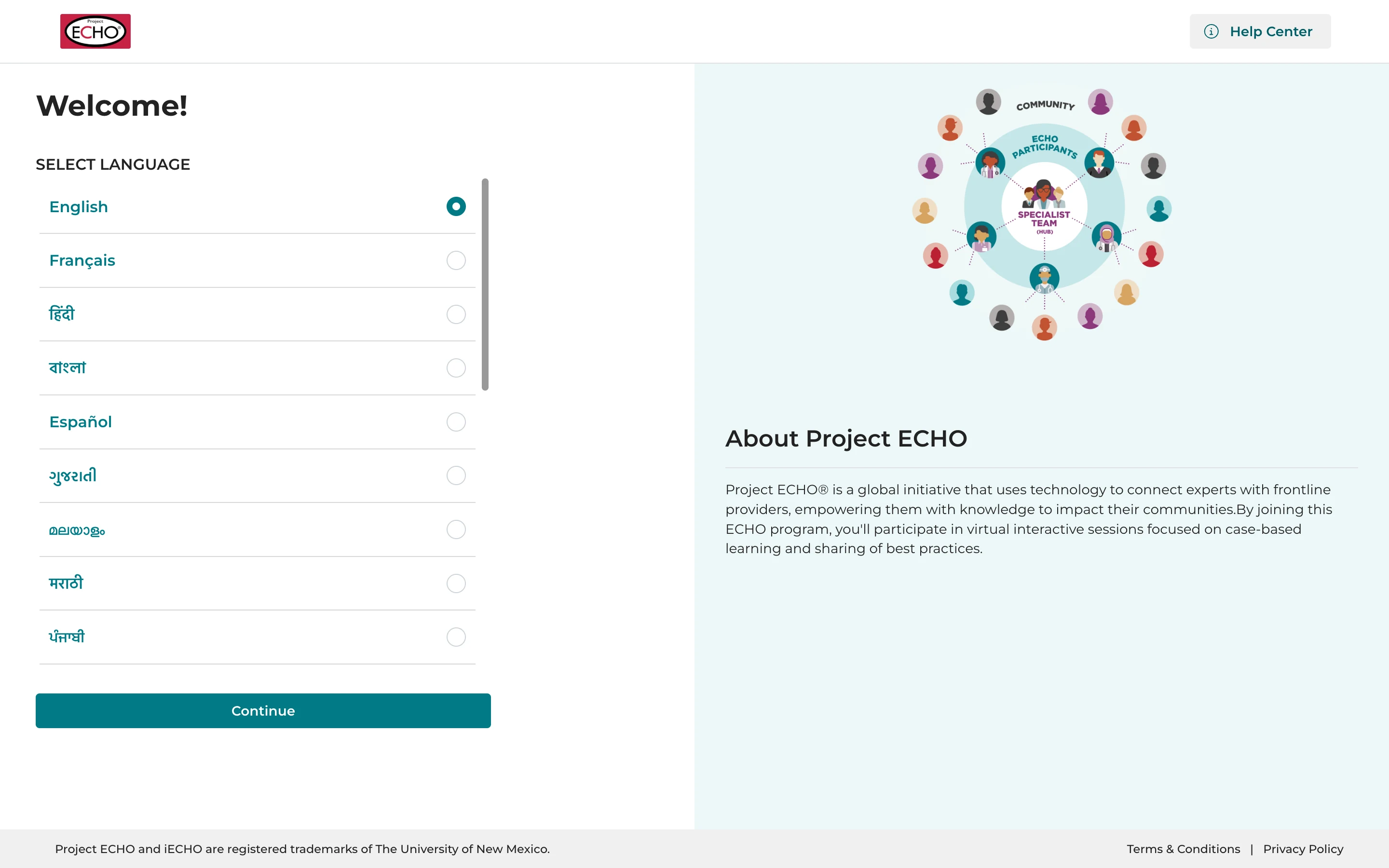
Your languageiECHO picks the one your browser uses. Choose another from the list if you like.
ContinueYour choice applies to the whole platform.
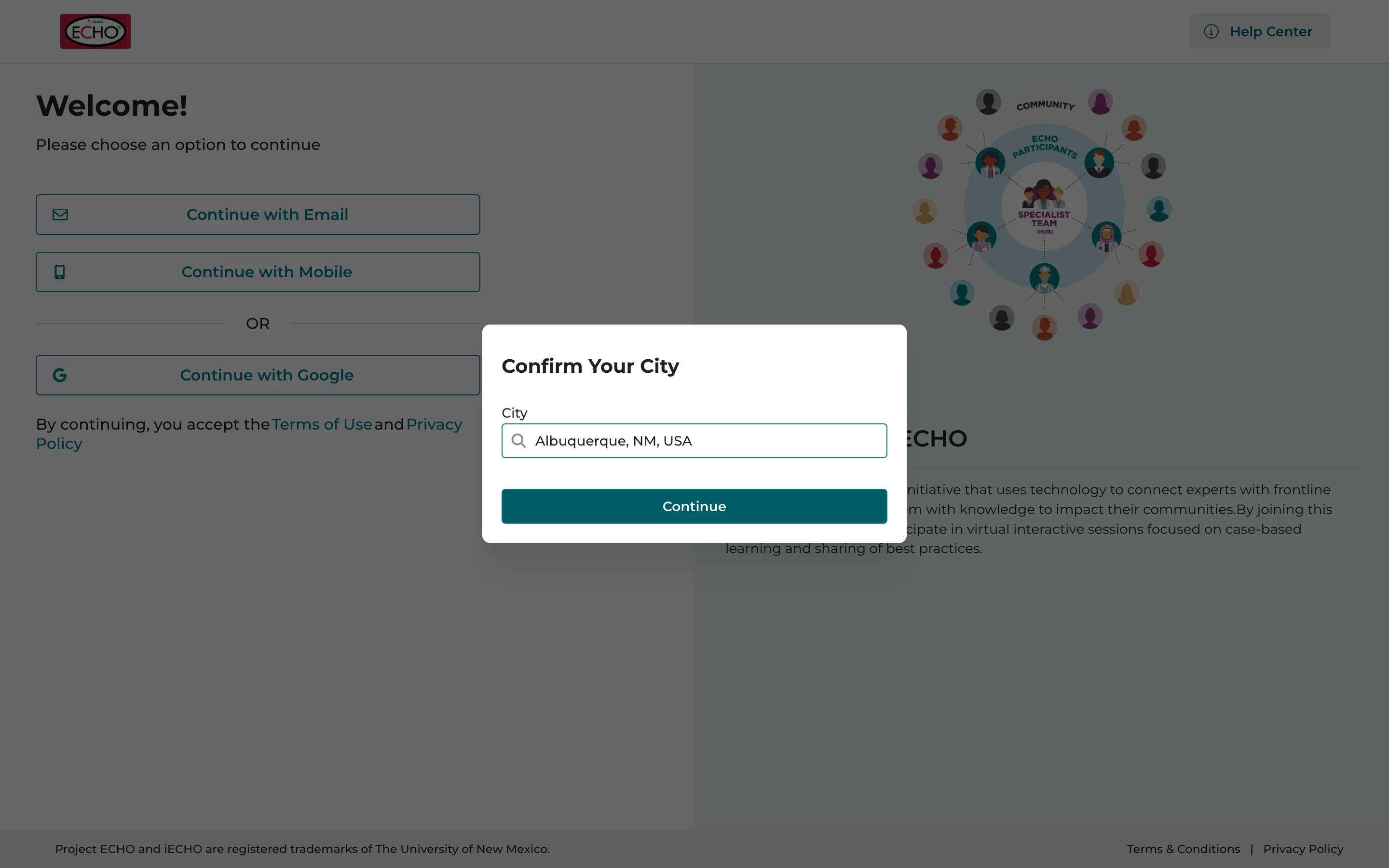
Confirm your cityIt helps tailor iECHO to your region.
ContinueYou can change both later in your settings.
Tell us about yourself
- Program page
- Basic details
- Verification
- Professional details
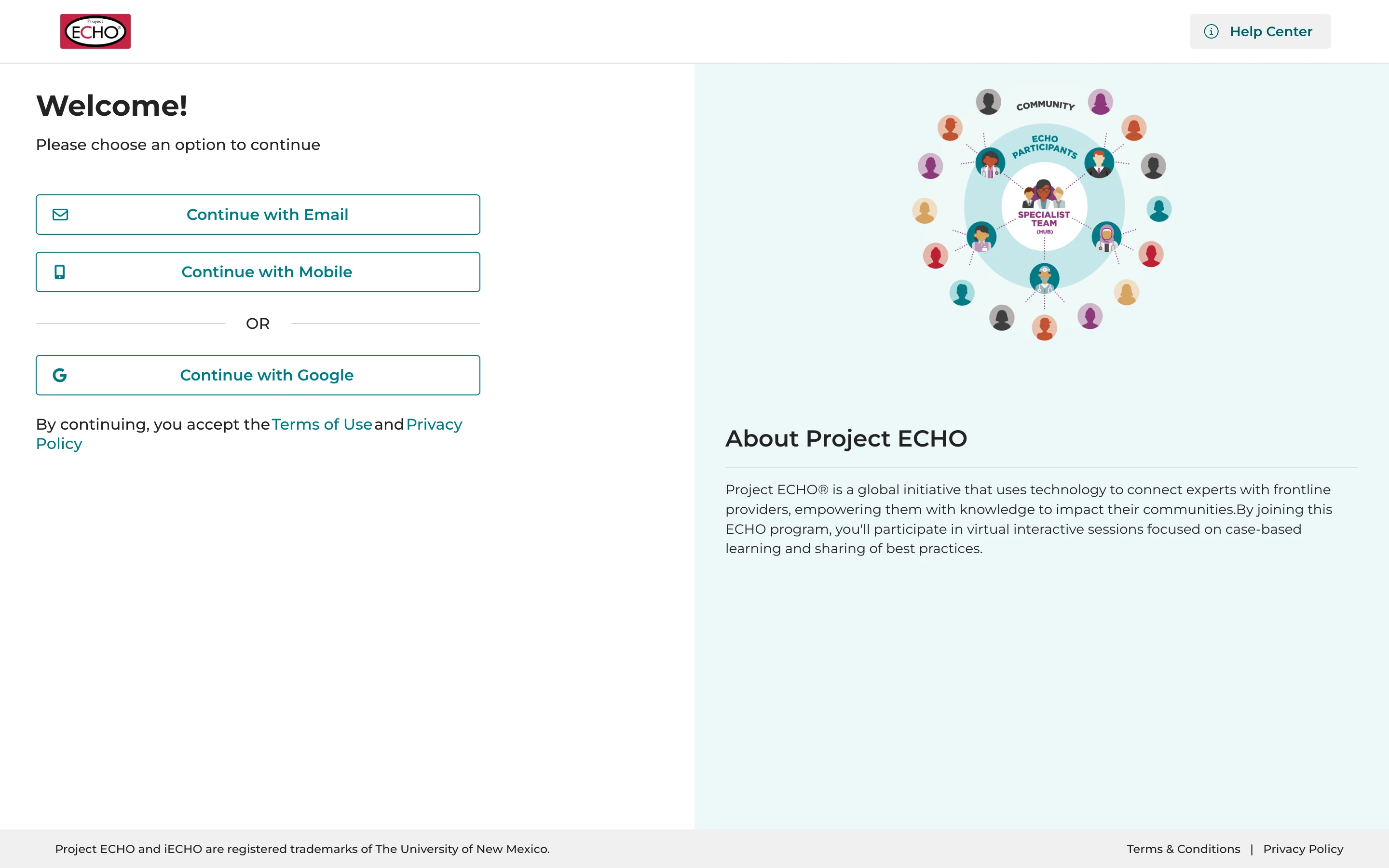
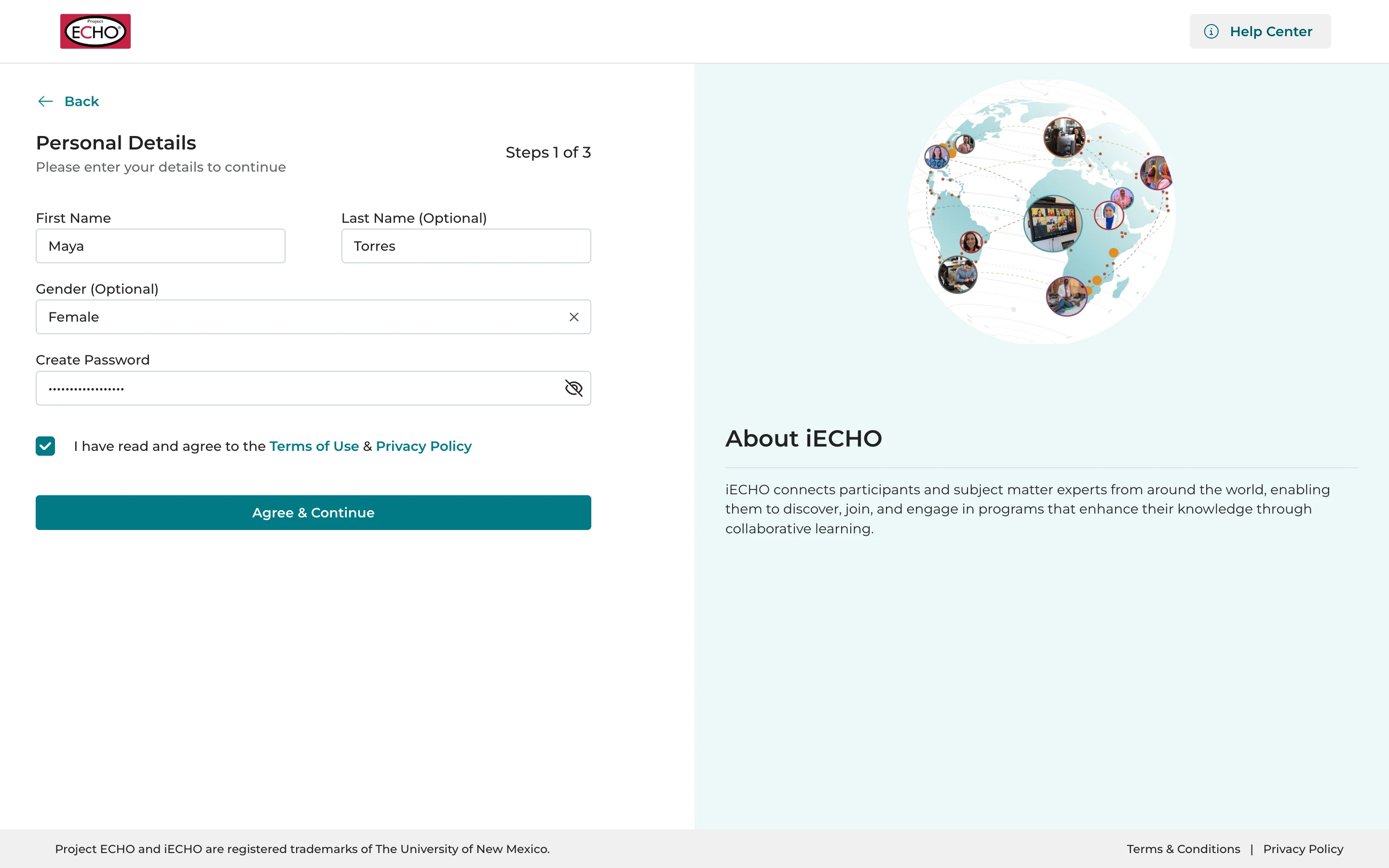
Continue with EmailOr with your mobile number, or Google.
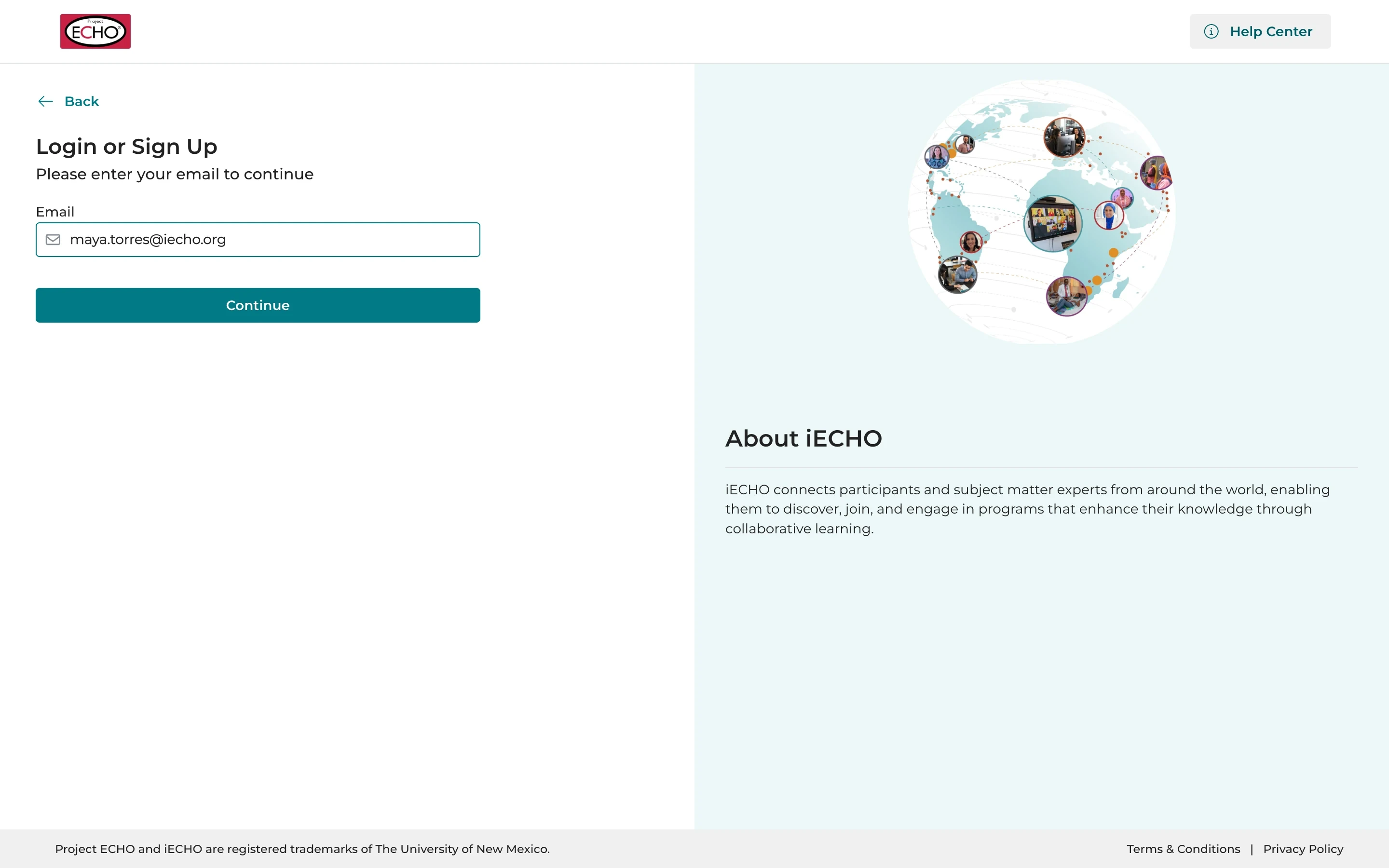
Your email addressThen select Continue.
Your nameYour first name, and your last name and gender if you like.
A passwordAt least 10 characters, with an uppercase letter and a number.
Agree & ContinueAfter accepting the Terms of Use and Privacy Policy.
Verify your email address
- Program page
- Basic details
- Verification
- Professional details
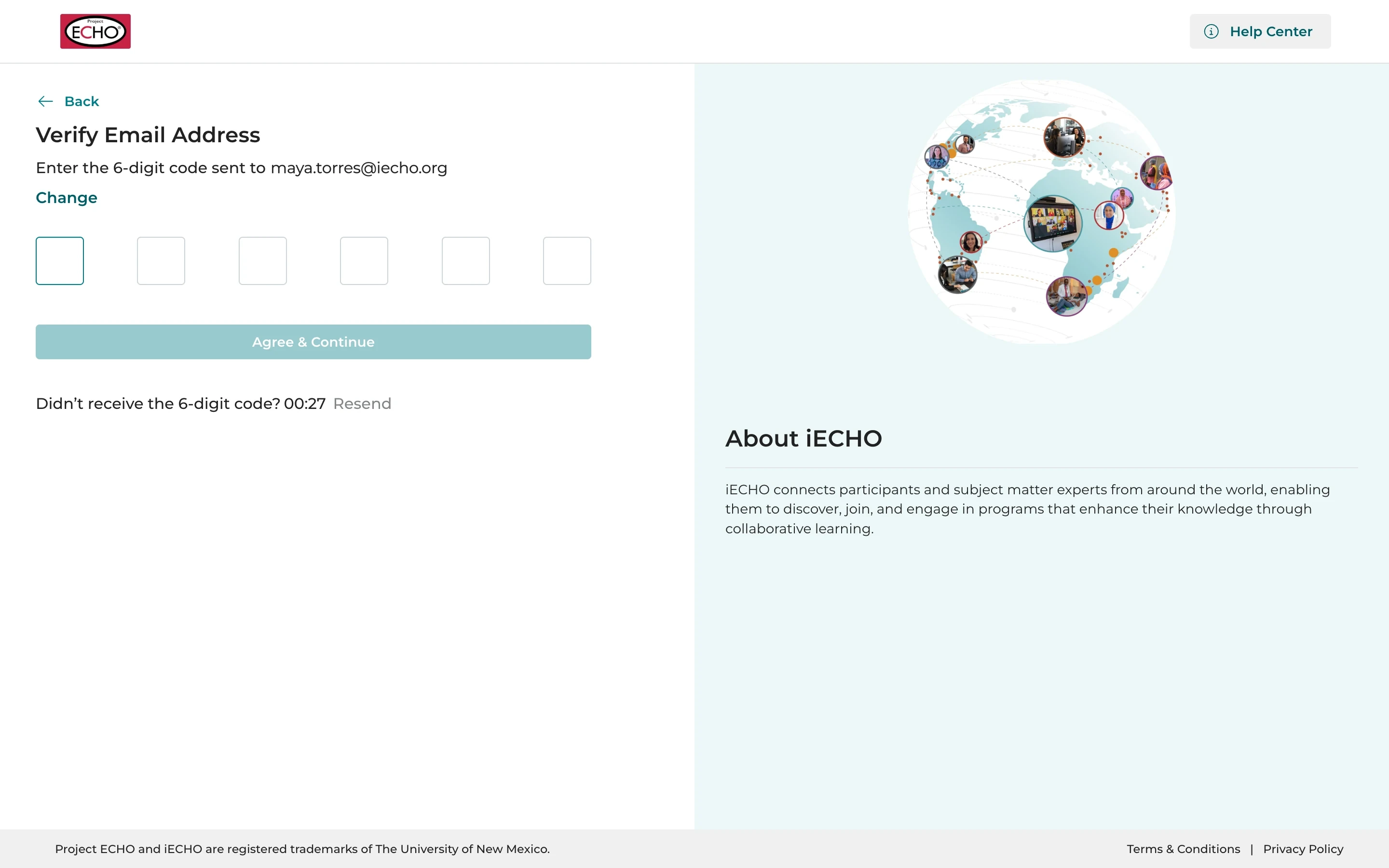
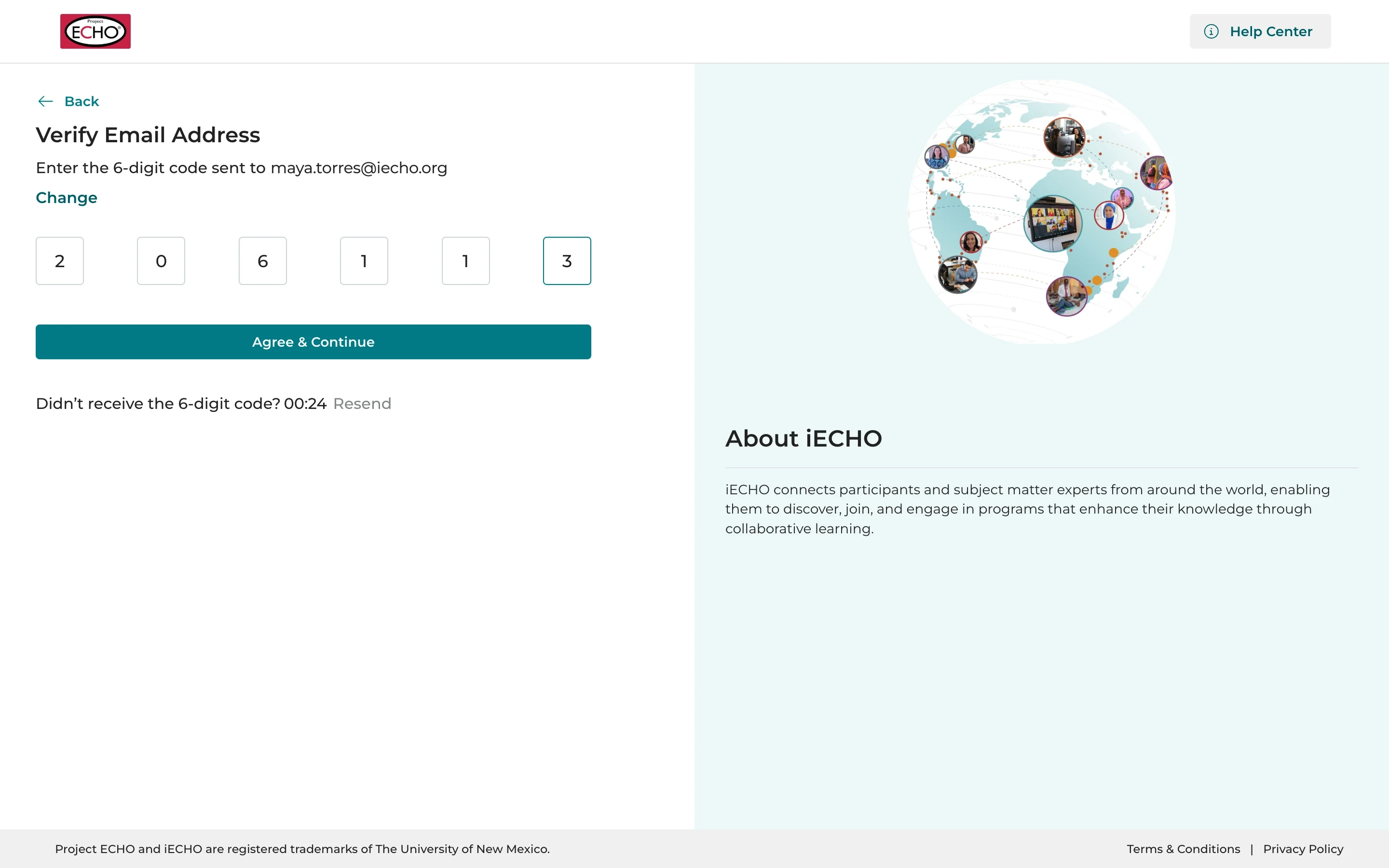
Check your emailThe code arrives within a few seconds.
Enter the codeThen select Agree & Continue.
No email?Check your spam folder, or select Resend.
Choose your profession
- Program page
- Basic details
- Verification
- Professional details
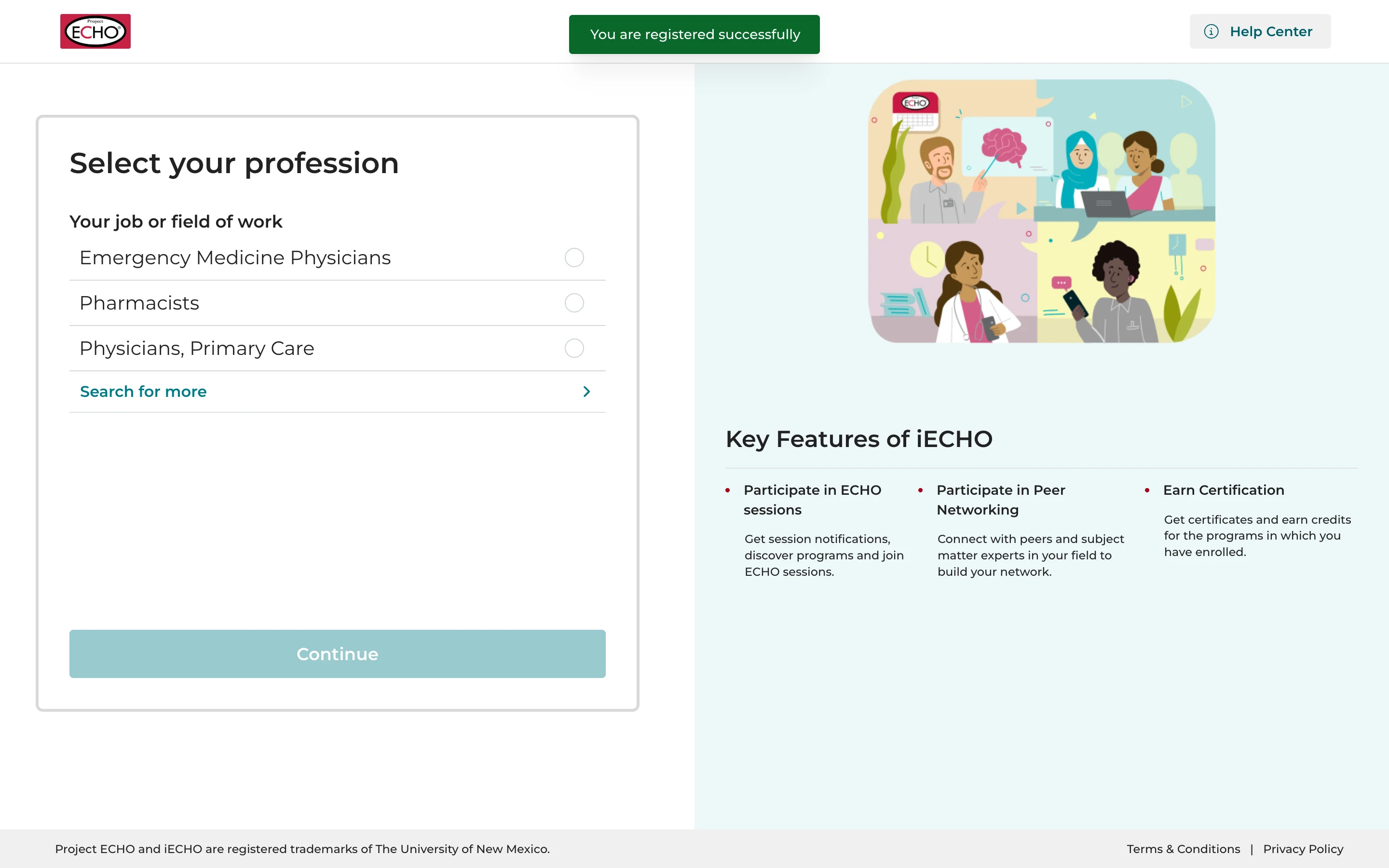
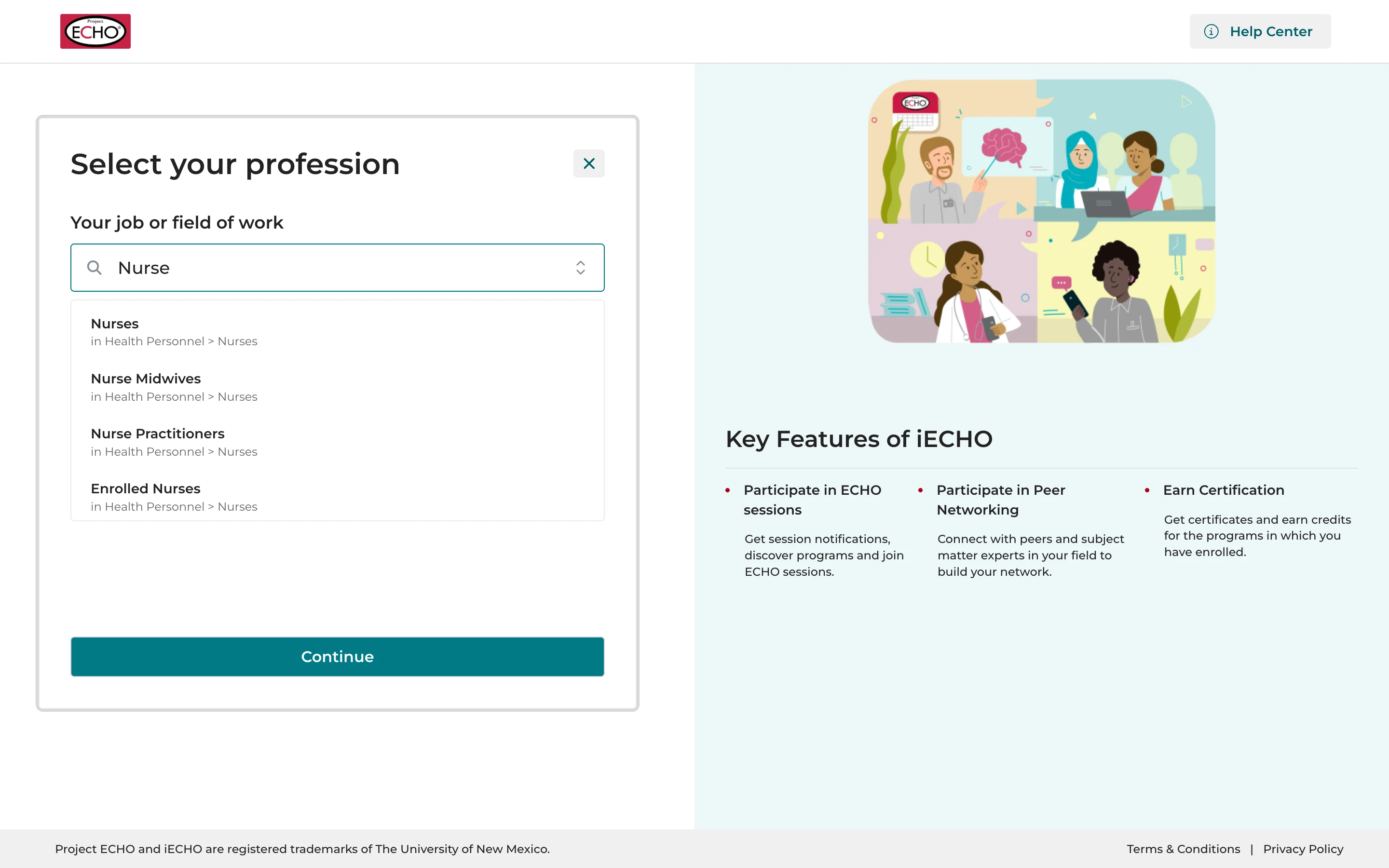
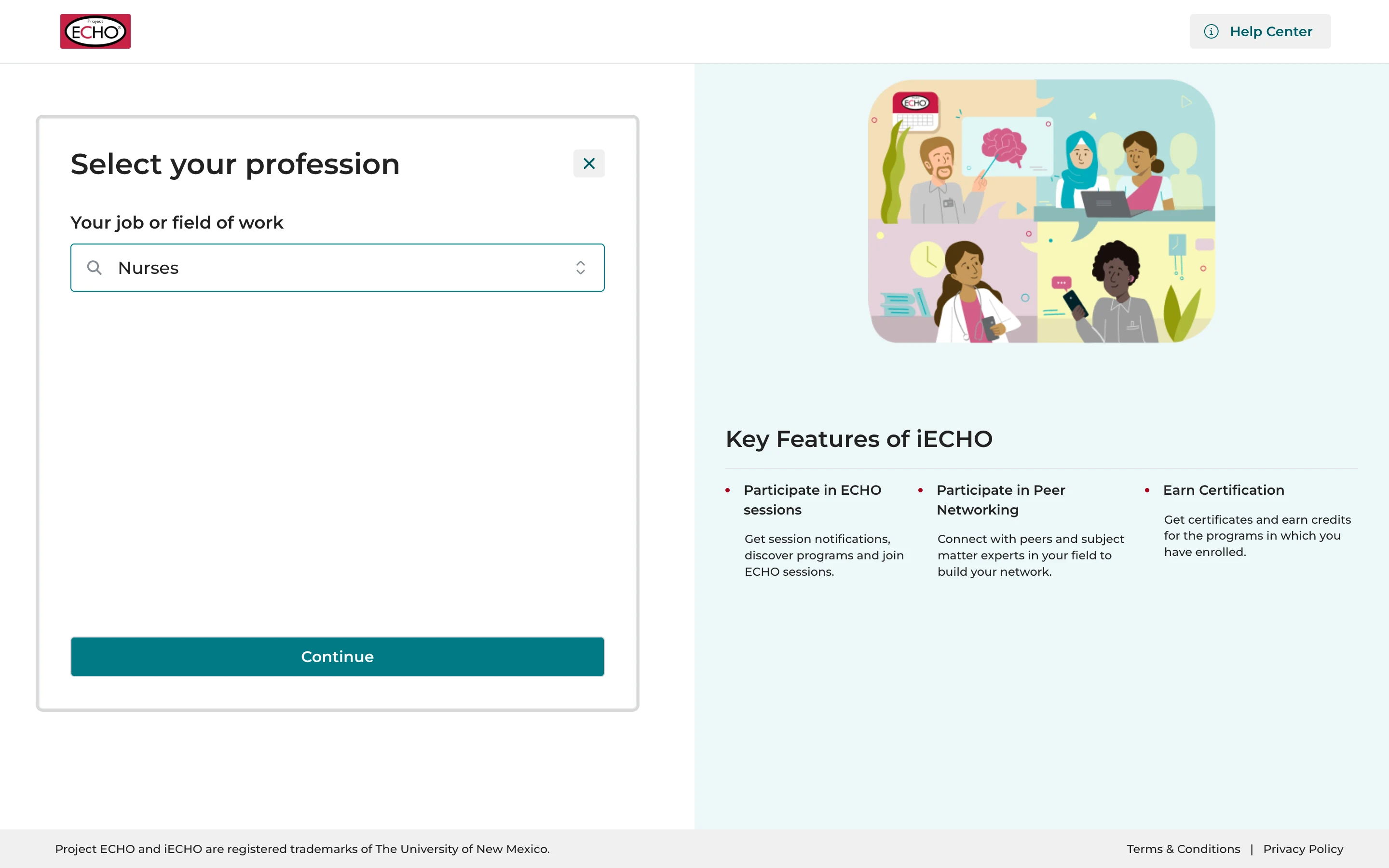
The short listProfessions the program is designed for come first.
Search for moreIf yours isn't on the list.
Pick yoursStart typing, then choose from the results.
ContinueYou can change it later in your profile.
Add your institute or workplace
- Program page
- Basic details
- Verification
- Professional details
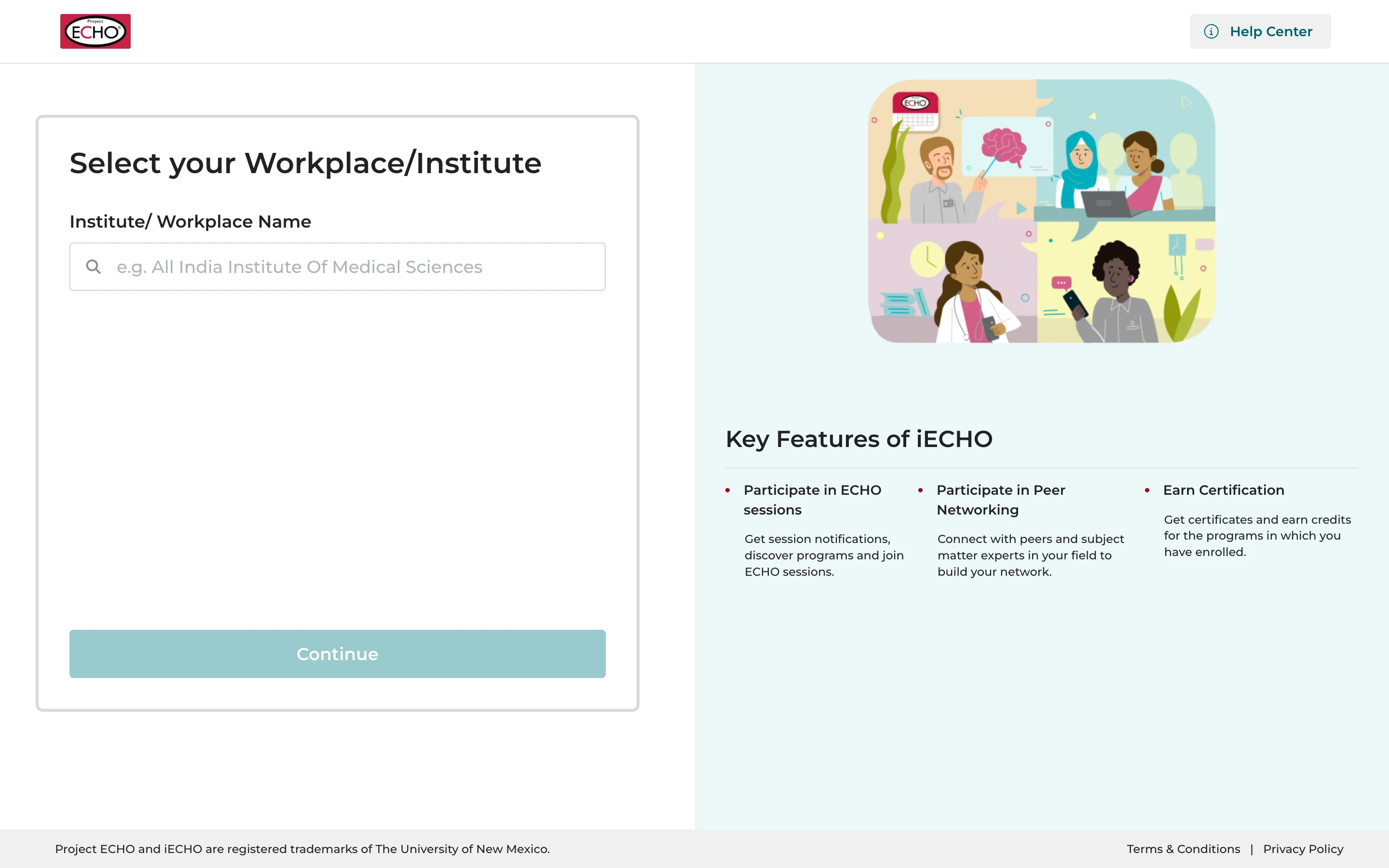
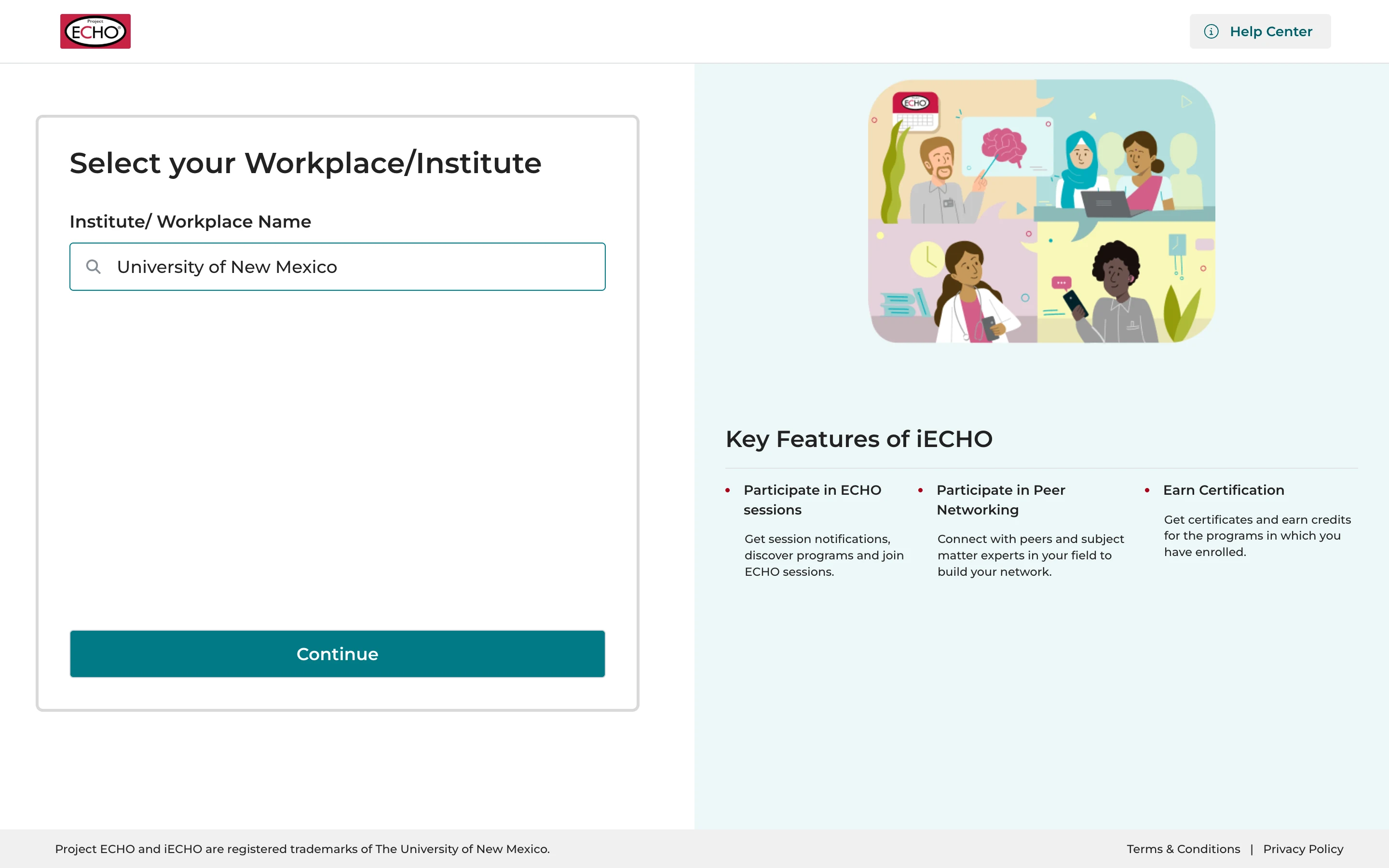
Search for itType the name of your institute, hospital, school or organization.
Pick it from the listWorkplaces come from Google Maps: try the name it has there.
ContinueThat's your profile done.
One last step
- Program page
- Basic details
- Verification
- Professional details
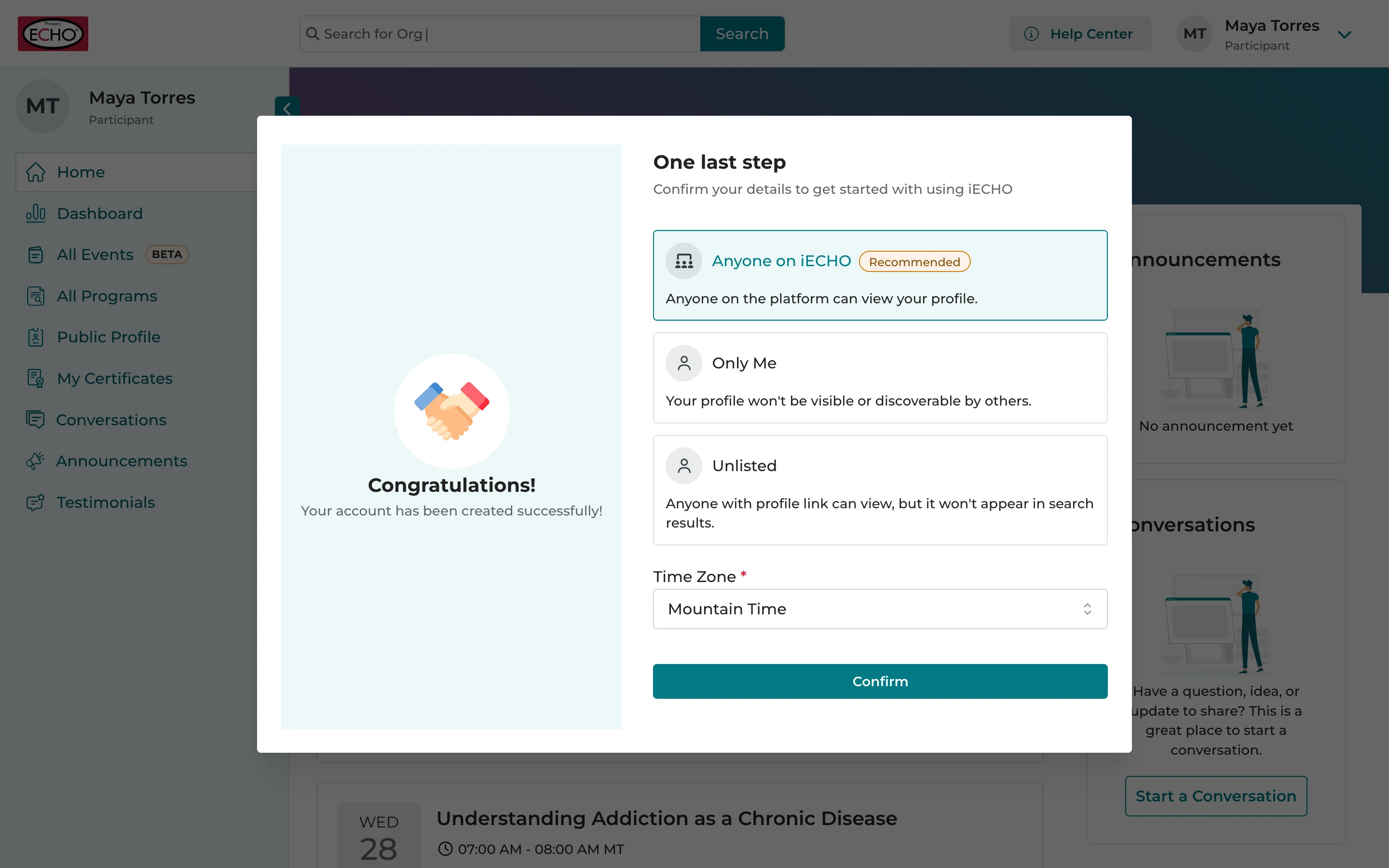
Who can see your profileThree choices, and you can change it later.
Anyone on iECHORecommended: peers and experts can find you and connect.
Only Me or UnlistedHidden, or seen only by people with your profile link.
Your time zoneCheck it, then select Confirm.
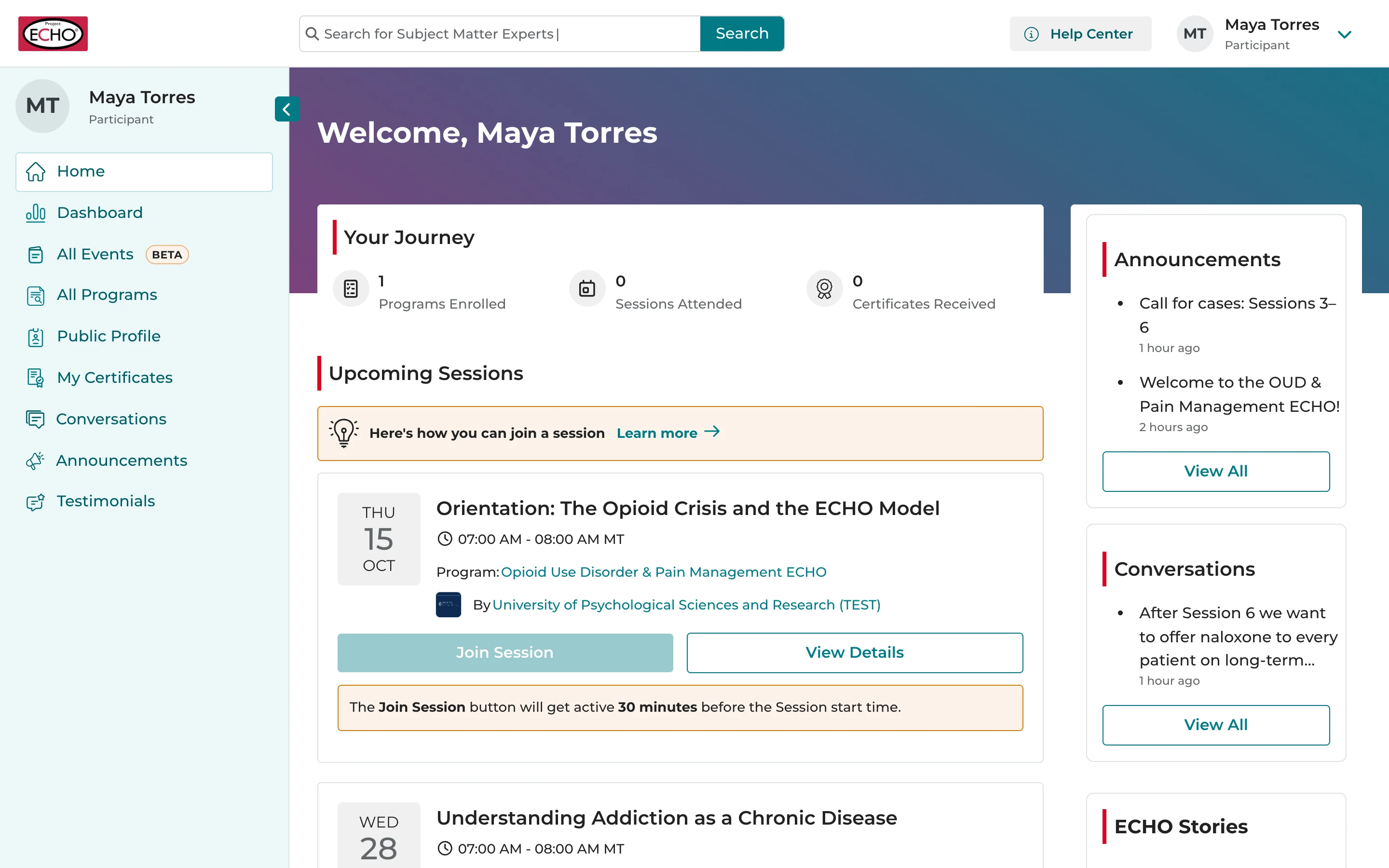
Your iECHO home page
Your home pageEverything starts here.
The top barSearch, the Help Center and your profile menu.
The menuYour dashboard, programs, certificates, conversations and more.
Your JourneyYour learning at a glance.
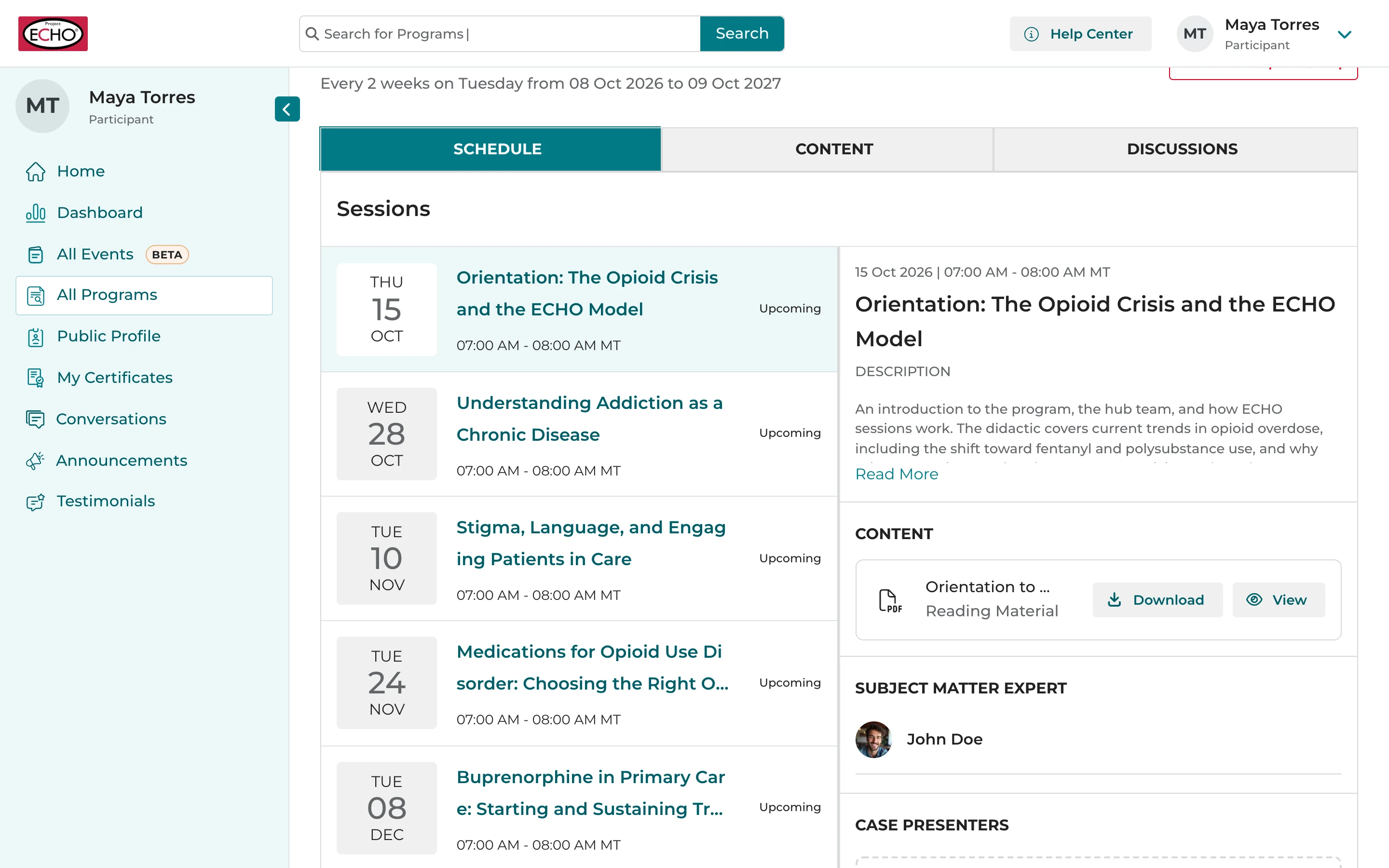
Upcoming SessionsEach with Join Session and View Details.
Announcements and conversationsThe latest from your programs.
Join a session
Make sure you download the Zoom app on your device ahead of time, for the best experience. zoom.us/download
Upcoming SessionsJoin Session turns on 30 minutes before a session starts.
View DetailsTo learn more about a session.
The session pageIts description, content, experts and case presenters.
Join SessionWhen it's time, and the session opens in Zoom.
Everything for your program, in one place
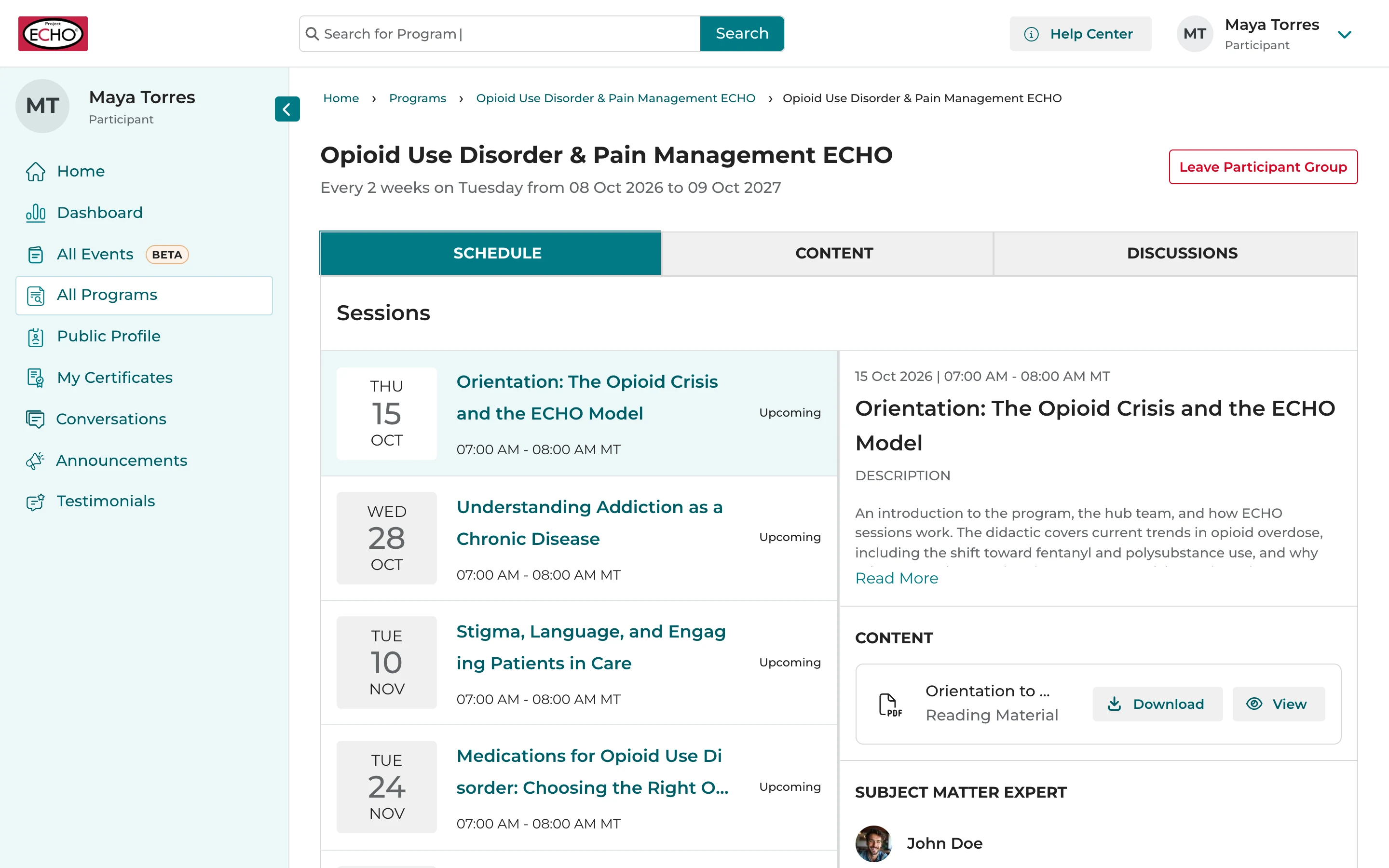
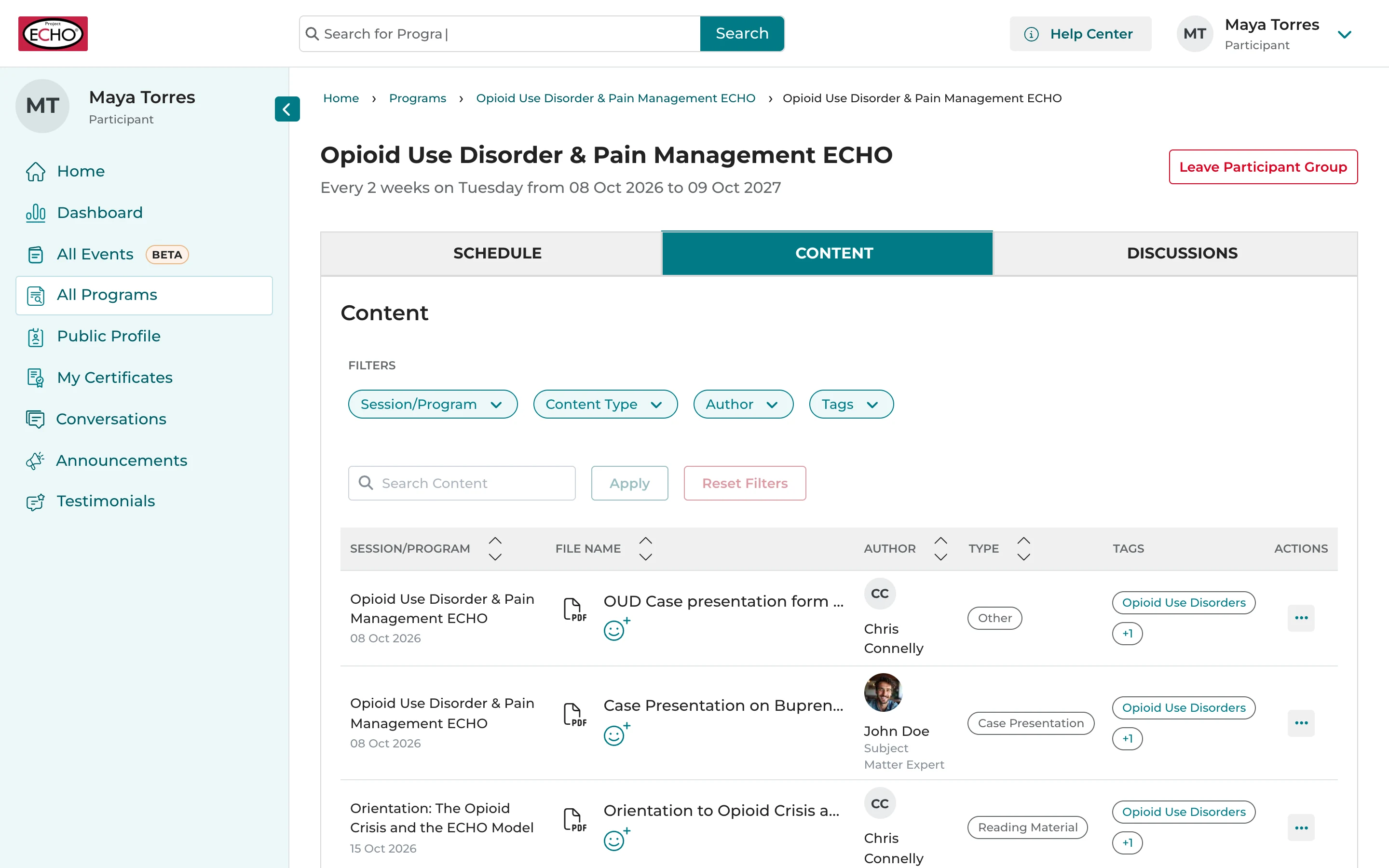
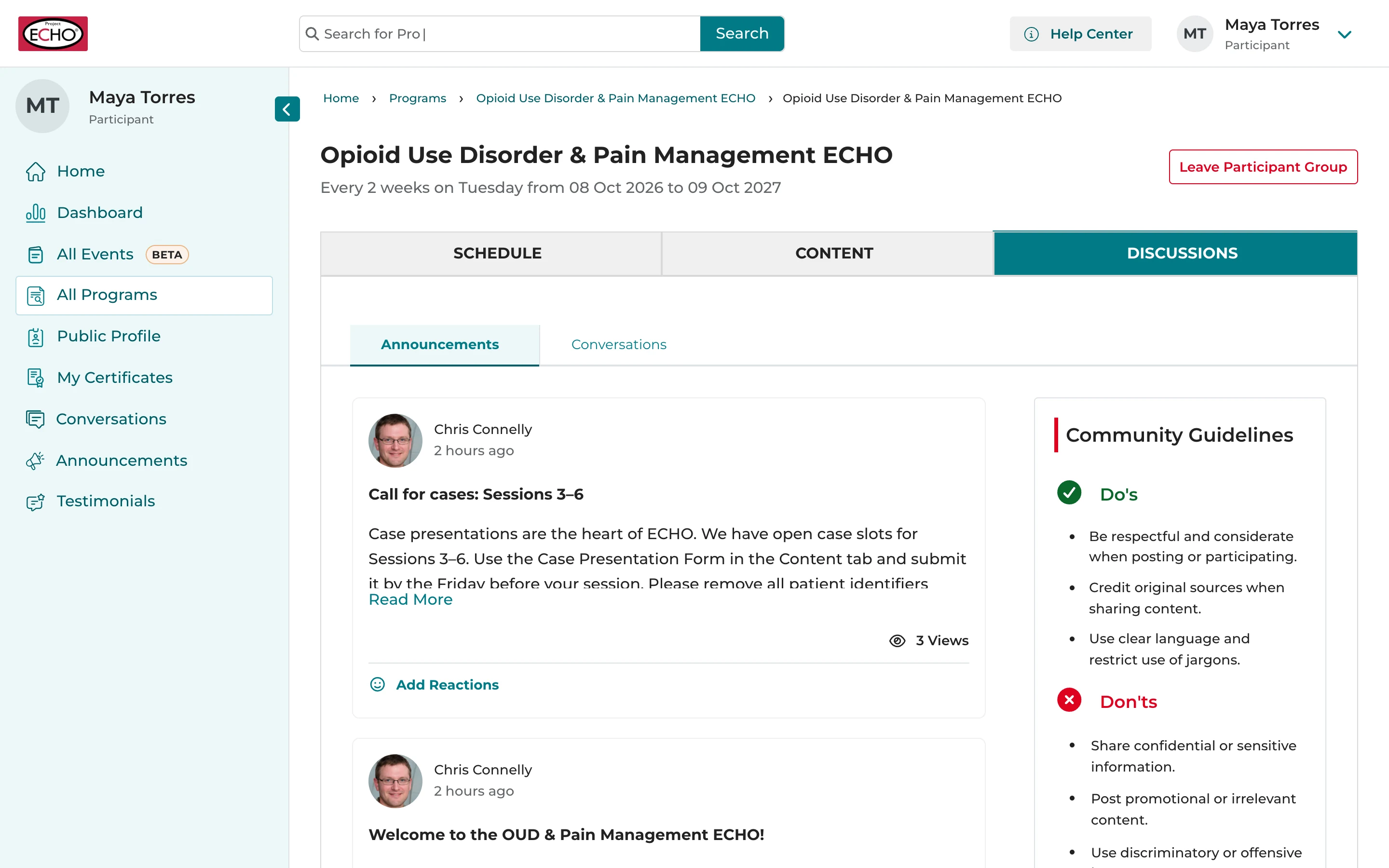
ScheduleEvery session, with its date, time and details.
ContentSlides, recordings and resources your program team shares.
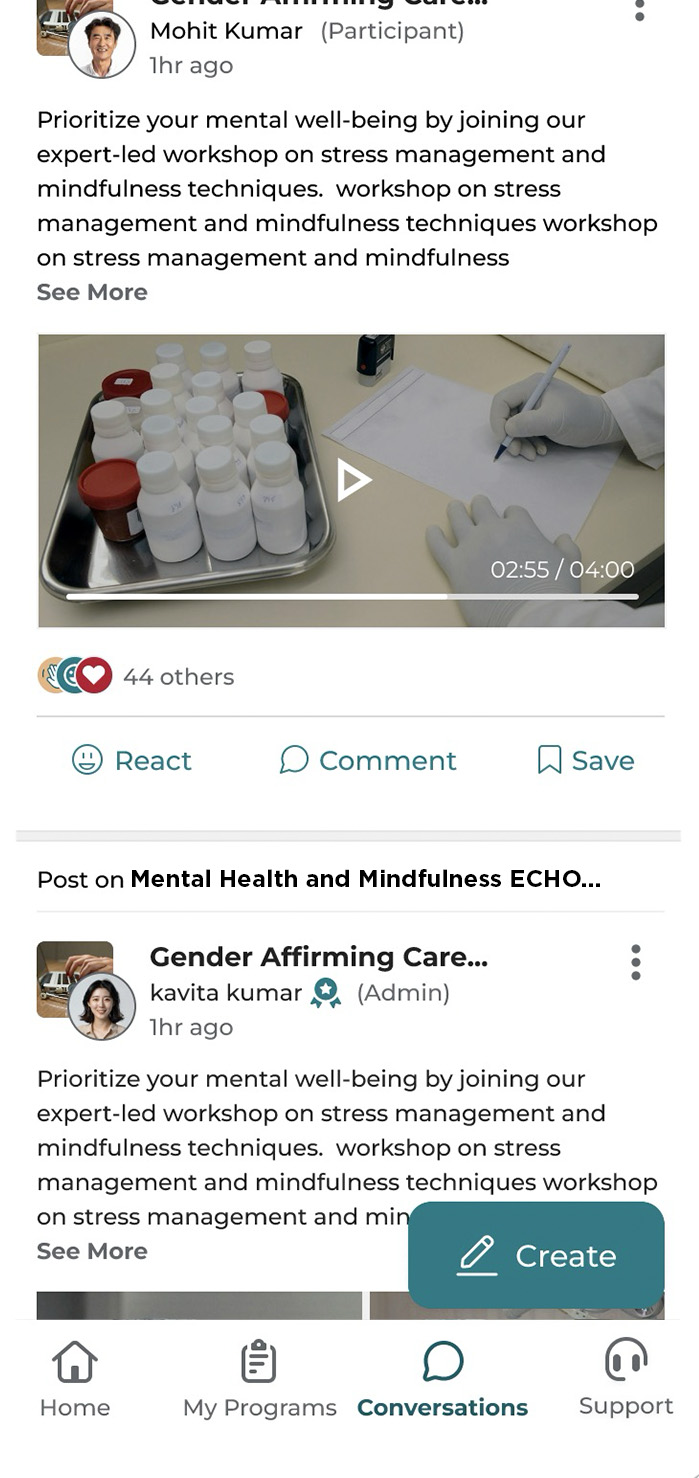
DiscussionsAnnouncements and conversations for your group.
Introduce yourself
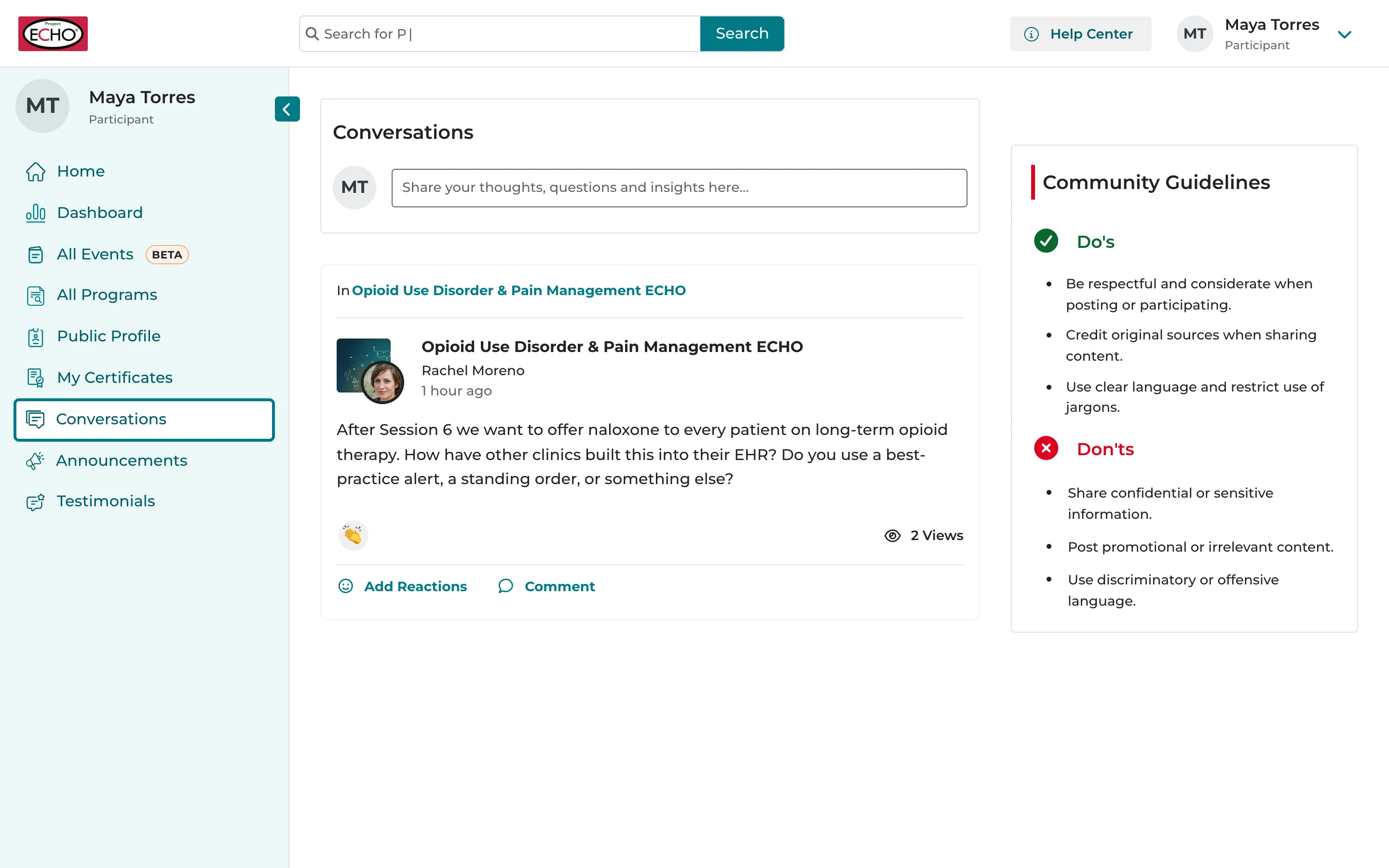
Open ConversationsIn the menu on the left.
Say helloWho you are, where you work and what you hope to learn.
Join inReact to or comment on other people's posts.
You're ready for your first session
If you ever need a hand, help is always close by.
- about.iecho.org/help
- support@iecho.org
- Language and notifications in Settings
Next steps
Project ECHO and iECHO are registered trademarks of The University of New Mexico
Use the arrow keys or click to move through the slides