
Hub Owner & Admin can edit participants’ professional details to keep records accurate and current. This includes updates to:
- Profession: Adjusting the participant’s job title or role.
- Location: Changing the participant’s geographical area or address.
- Institute/Workplace: Modifying the name of the participant’s organization or institution.
- Workplace Location: Updating the specific location or office within the organization.
This feature ensures that all participant information reflects their latest professional status and affiliations.
Here’s how you can edit these details:
- From your iECHO Homepage, open the left panel and select the second icon to view All Programs
- Select the Program followed by Participant Group in which editing needs to be done.
- Navigate to the Participant tab.
- Under Active Participant, select the participant whose details you’d like to edit.
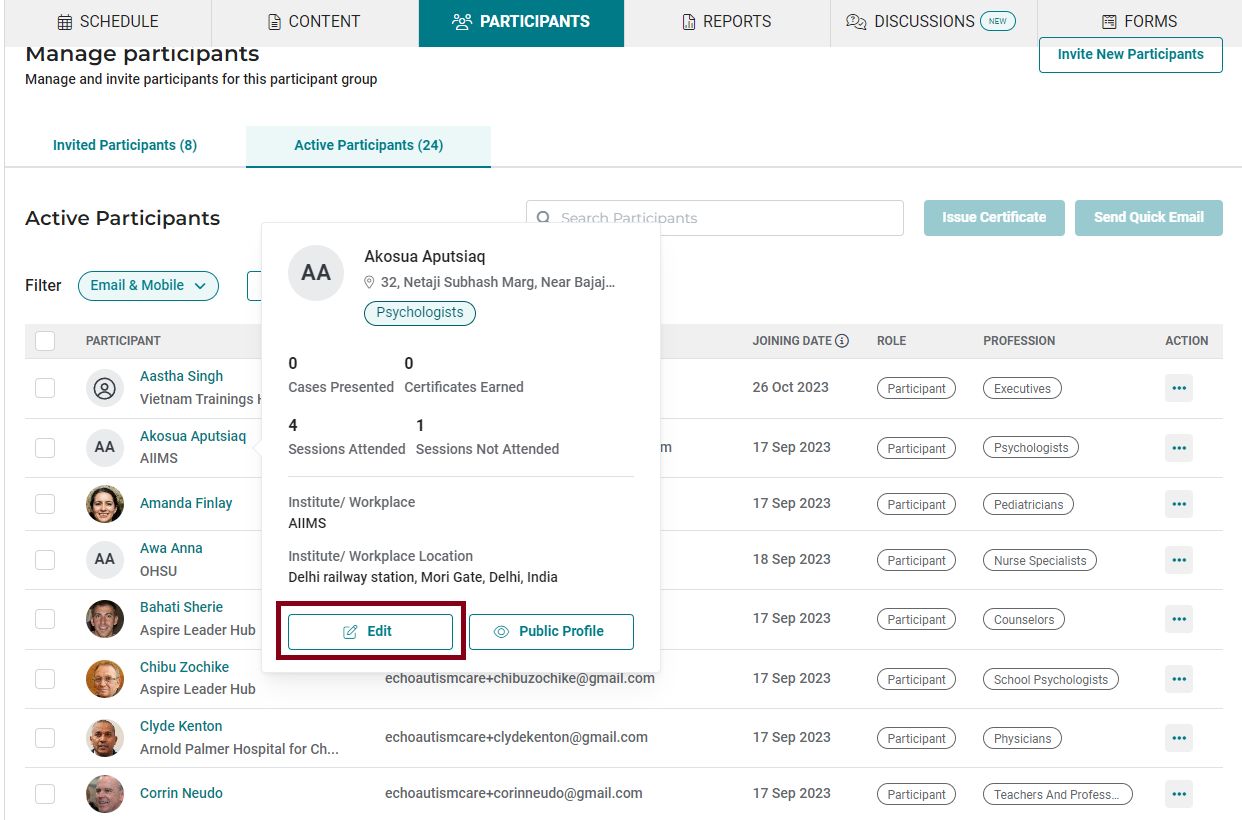
- Click on the profile icon of the selected participant and click on the Edit option.
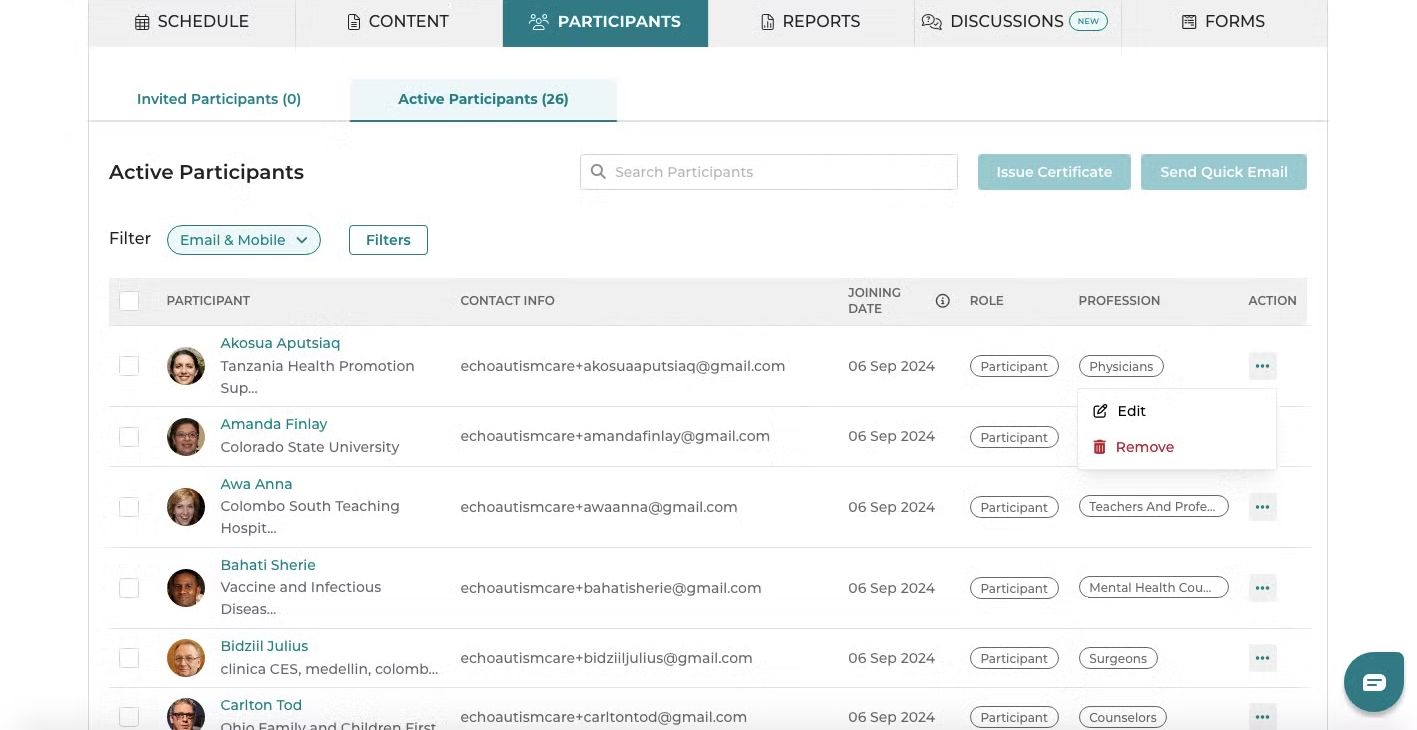
Alternatively, you could also click on the three-dot menu and select Edit.
Update the necessary details and click on Update.
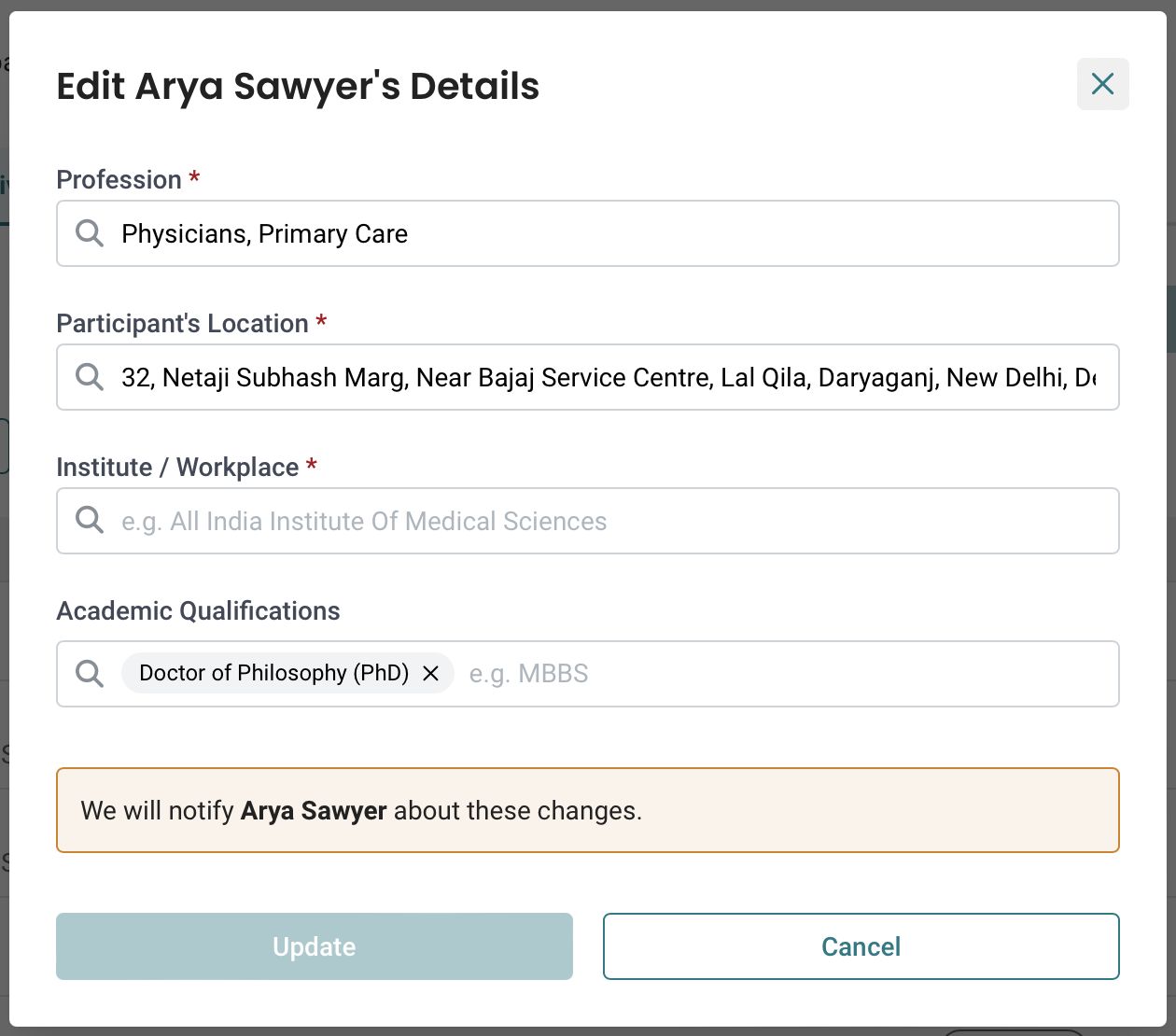
Participants will be notified of any changes to their details via email or SMS, depending on their registration method.