Navigating Your iECHO Homepage
Explore and access your programs, track updates, and engage with your learning community right from your iECHO Homepage.
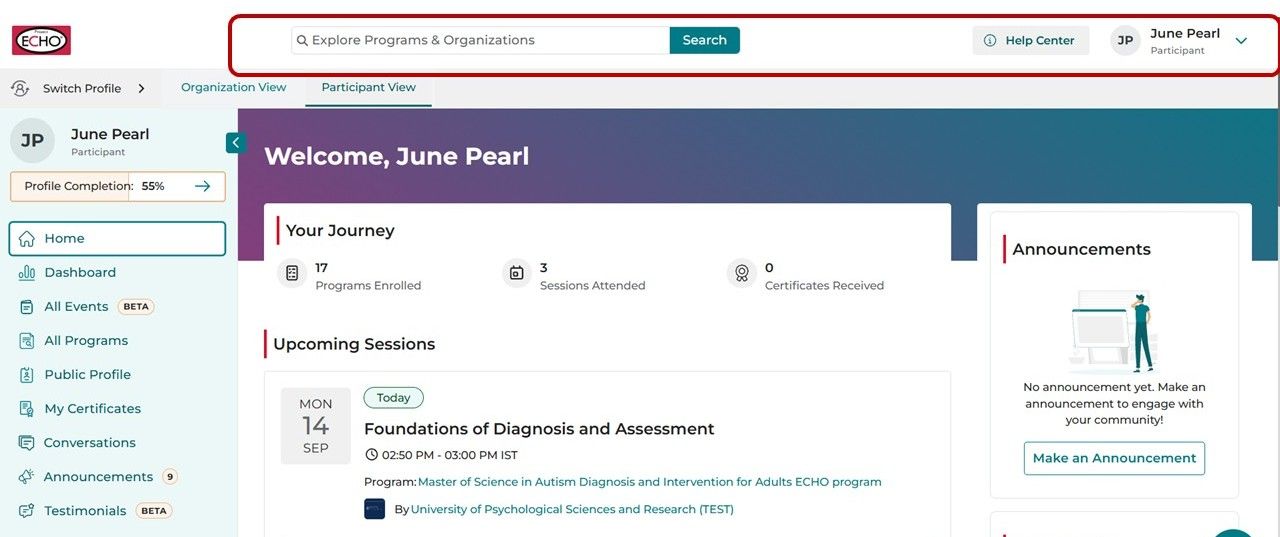
Top Navigation Bar
Find key tools right at the top of your homepage:
Search Bar: Find and join Public Programs and Organizations with ease.
Help Center: Access support articles, browse FAQs, and view quick tutorials about features and functionalities of iECHO anytime.
Profile Menu: Manage your account settings, update preferences, or log out.
Tip: Use the search bar to discover new programs or organizations in seconds.
Left Panel: Manage Your Learning
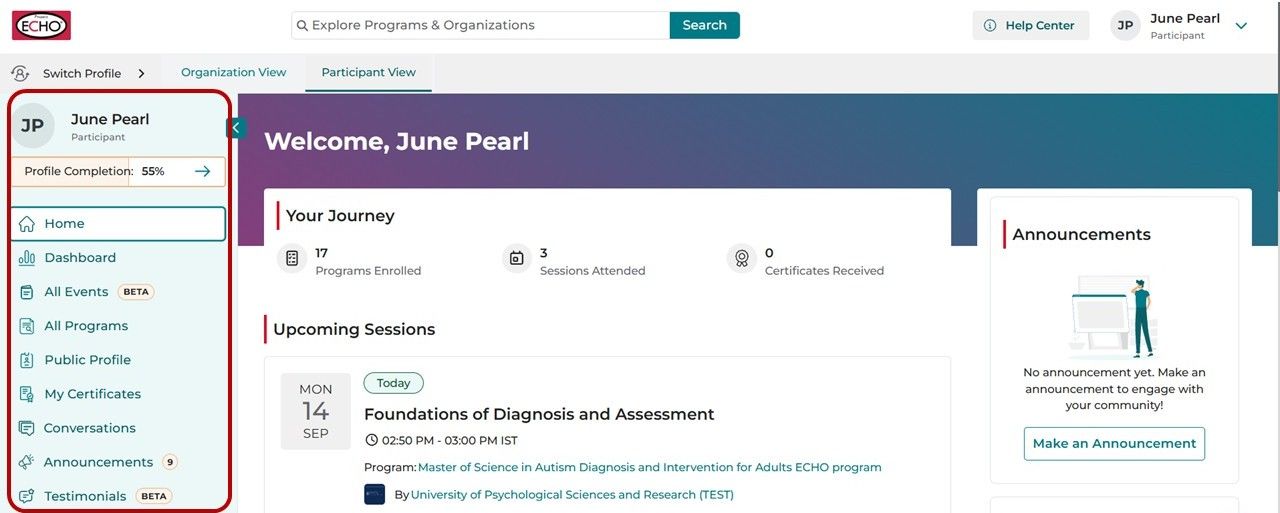
The left panel gives you quick access to key areas that help you stay informed and engaged:
- Home: Provides a quick access to the iECHO Homepage.
- Dashboard: Provides a real-time summary of your overall learning progress, including your attendance rate, ongoing programs, certificates earned, cases presented, and other key metrics.
- All Events: Browse and access all events.
- All Programs: Navigate through your registered programs (Includes all programs you are registered in, completed or have applied for, regardless of approval status)
- Public Profile: Review and edit your profile information and details.
- My Certificates: View and download your program certificates.
- Conversations: Join discussions, share insights, and connect on session topics in an open, collaborative space.
- Announcements : View schedule changes, news, and key program updates directly from the organizers to stay fully informed.
- Testimonials: Share your experience for the programs you have enrolled in and attended.
Main Panel: Insights and Activities
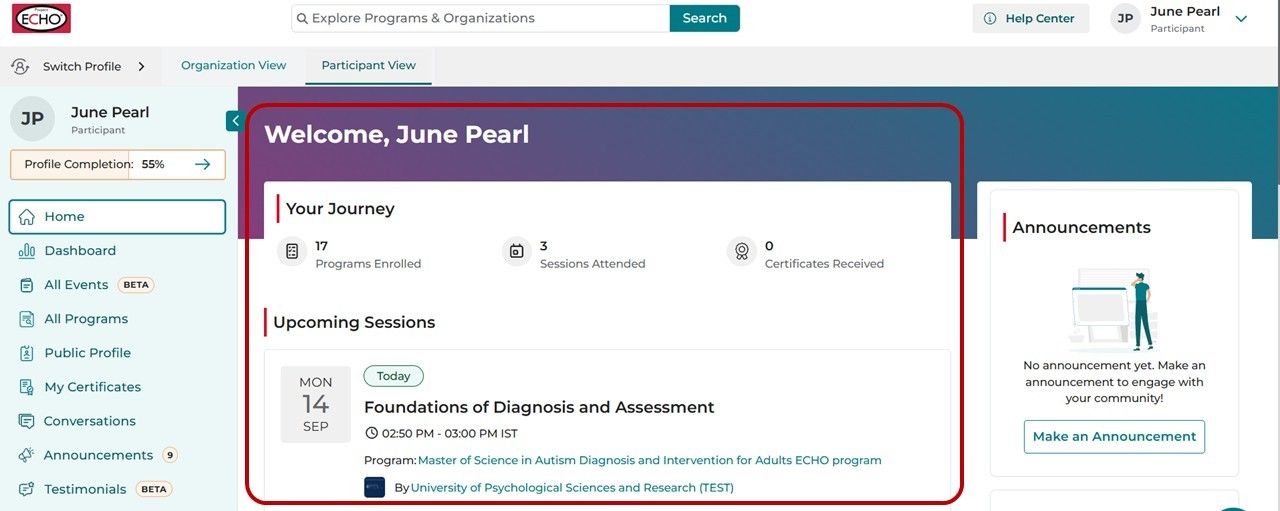
Your Journey
See your progress at a glance with key metrics:
- Participants Enrolled
- Sessions Attended
- Certificates Received
These numbers help you track performance and progress at a glance.
Upcoming Sessions
Stay up to date with all sessions scheduled in the next 24 hours. Each entry shows:
- Session Name
- Scheduled Date, Day & Time
- Program Name
- Organization Name
Click View Details to explore:
- Program and session details
- Content and resources
- Announcements & Conversations
Tip: If you haven’t joined any programs yet, suggested public programs will appear in the main panel to help you get started.
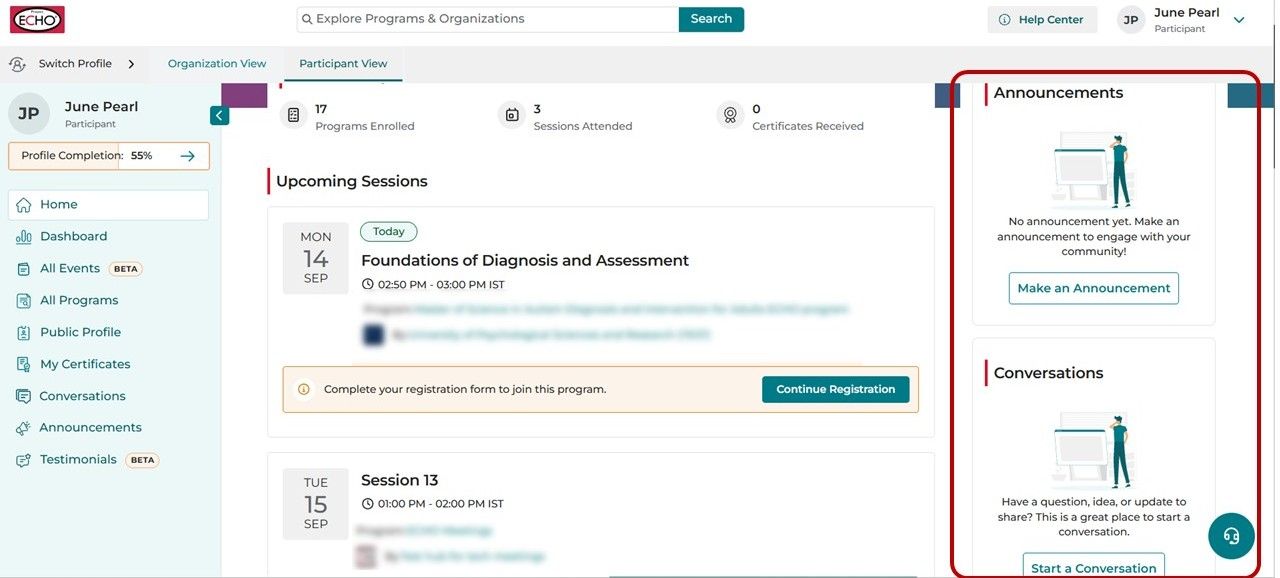
Right Panel: Communication and Updates
Announcements
View updates from your programs directly from the homepage.
Conversations
Engage with your teams and participants through active discussions. Start new conversations anytime to collaborate or share ideas.
Community Highlights
- Stay connected to the global ECHO community through:
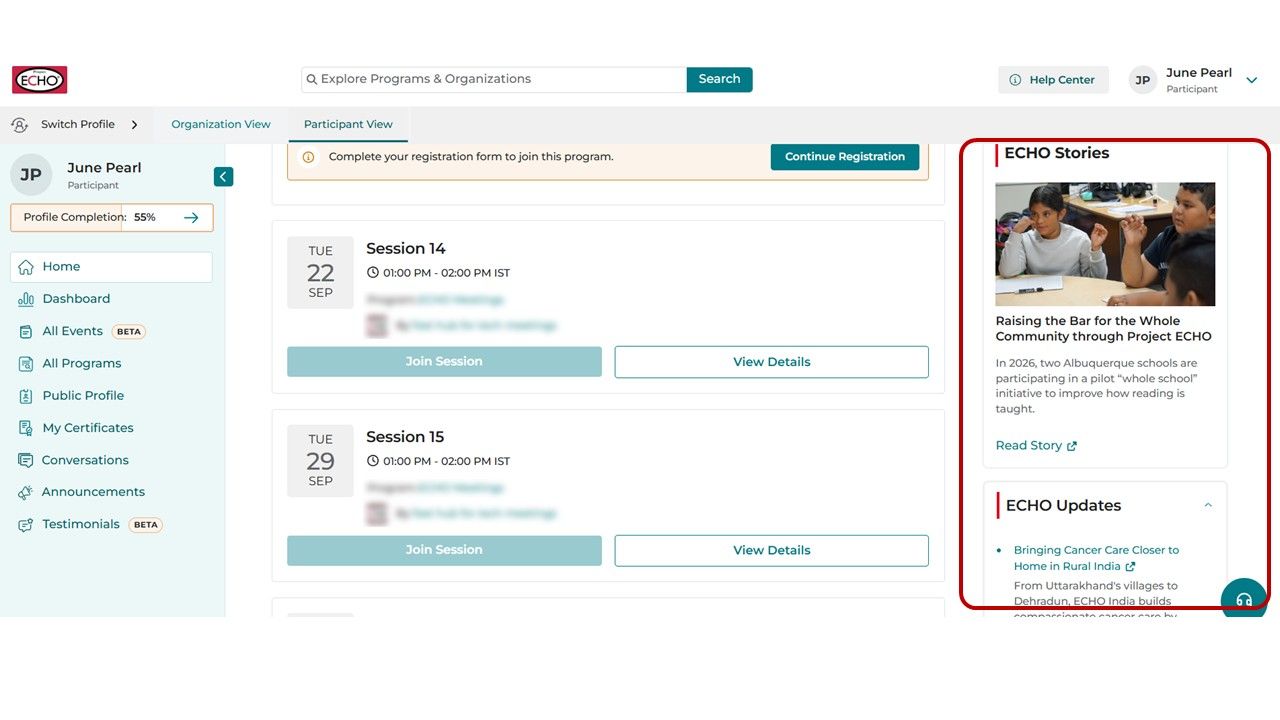
ECHO Stories:
Read inspiring stories of global impact from Project ECHO and its partners.
ECHO Updates:
Highlights of new features, success stories, and upcoming events.