Promotional emails highlight platform features and enhance brand visibility. At iECHO, we prioritize thoughtful communication to ensure our emails are relevant and not excessive. We limit promotional emails to three key types to keep our communication streamlined and valuable.
Promotional emails include:
| Feature Update Emails | Informing users about new features on the platform. |
| iECHO Wrap | Providing personalized insights into user engagement with ECHO via iECHO over the past year. |
| Discussion Weekly Digest | Summarizing activities happening in the discussion forums of programs you belong to. |
If you prefer not to receive promotional emails, follow these steps to unsubscribe:
- Log in to iECHO and click the dropdown menu next to your name or profile picture at the top right of the screen.
- Select Edit Profile from the dropdown menu.
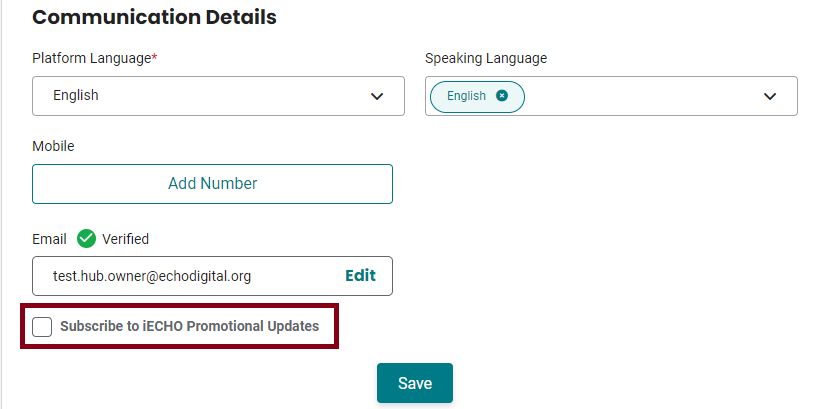
- Scroll down to the Personal Details section and locate Communication Details.
- Uncheck the Subscribe to iECHO Promotional Updates option.
- Click Save to apply your changes.