
A Subject Matter Expert (SME) is someone highly knowledgeable in a specific field or topic who provides deep insights and guidance based on their expertise and experience. iECHO allows you to invite an SME to a session so that automatic updates and session reminders are sent to them. Inviting an SME also allows them to upload materials beforehand, enabling participants to prepare in advance.
To add a Subject Matter Expert to your session:
- From your iECHO homepage, open the left panel and select All Programs.
- Select the program and participant group where you want to add the Subject Matter Expert.
- In the Schedule section, go to the session where the SME needs to be added.
- Click Add Subject Matter Expert.
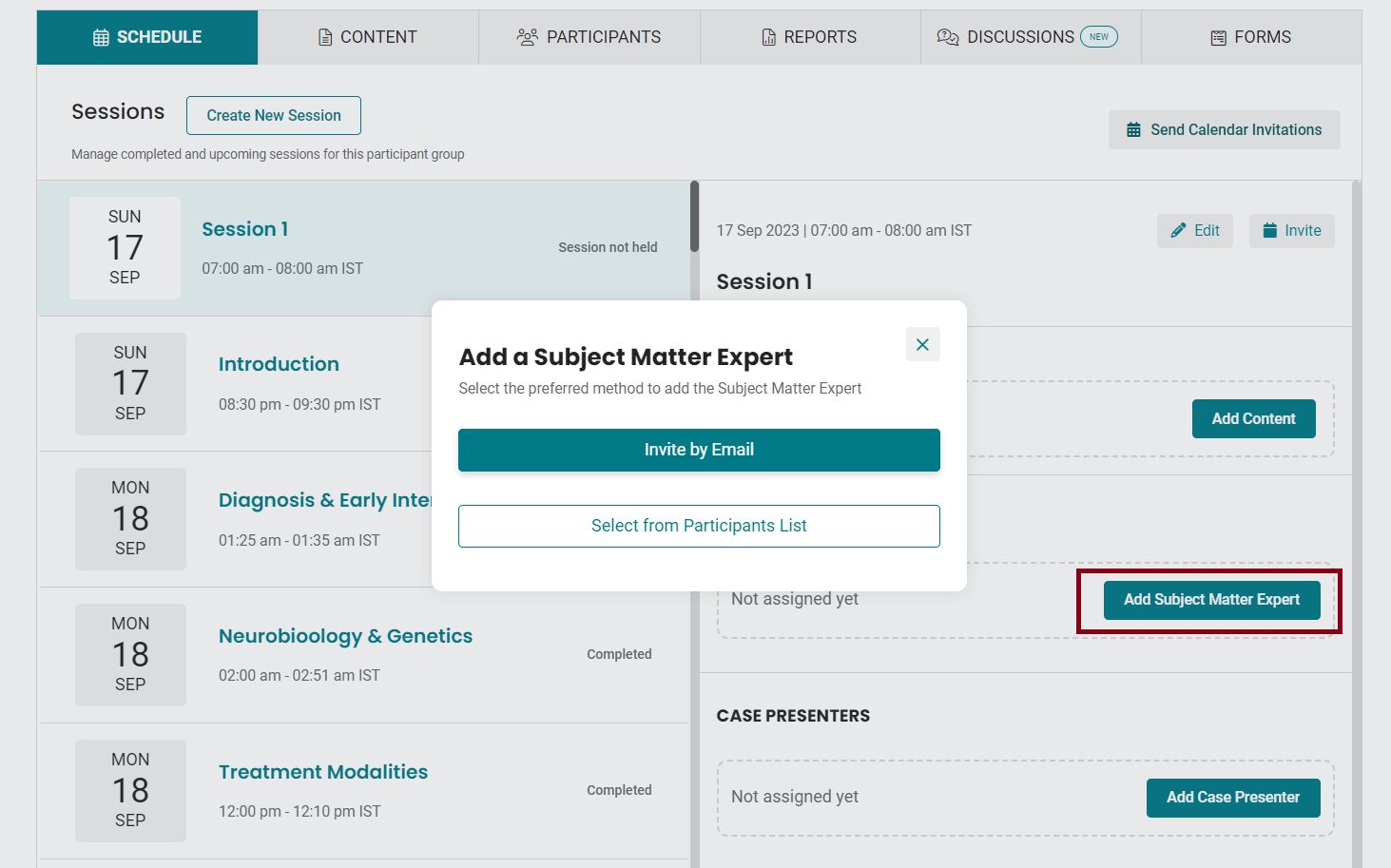
- Choose your preferred method to add the Subject Matter Expert:
- Invite by Email: Enter the email address of the Subject Matter Expert and click Send Invite. The platform will send an email or SMS notification prompting them to upload relevant files.
- Select from Participants List: Check the box next to the participant's name and click Assign Subject Matter Expert. The platform will send an email or SMS notification prompting them to upload relevant files.
The Subject Matter Expert can upload relevant content for the session. If revisions are required, they can re-upload content at any time.
It is recommended that the hub team review all uploaded content for PHI/PII (Protected Health Information/Personally Identifiable Information).
Note: The video below explains how to add a Subject Matter Expert. (Note that "Guest Lecturer" has been updated to "Subject Matter Expert" on iECHO.)

Related Articles: