
The iECHO platform's poll feature empowers organizations to create and conduct live polls during sessions, enhancing interaction and engagement. This tool encourages active participation, making sessions more dynamic and responsive to the audience's needs.
With Zoom polling seamlessly integrated into iECHO, sessions can be elevated with interactive and engaging polls, fostering deeper connections with attendees.
Organizations can create Zoom polls starting one week before the scheduled session date and up to 75 minutes before the session begins.
Here is how to create Zoom polls:
- From your iECHO homepage, open the left navigation panel and select All Programs.
- Select the program for which you want to add Zoom polling.
- In the Schedule section, go to the session where the poll needs to be added.
- Click Manage Zoom Polls.
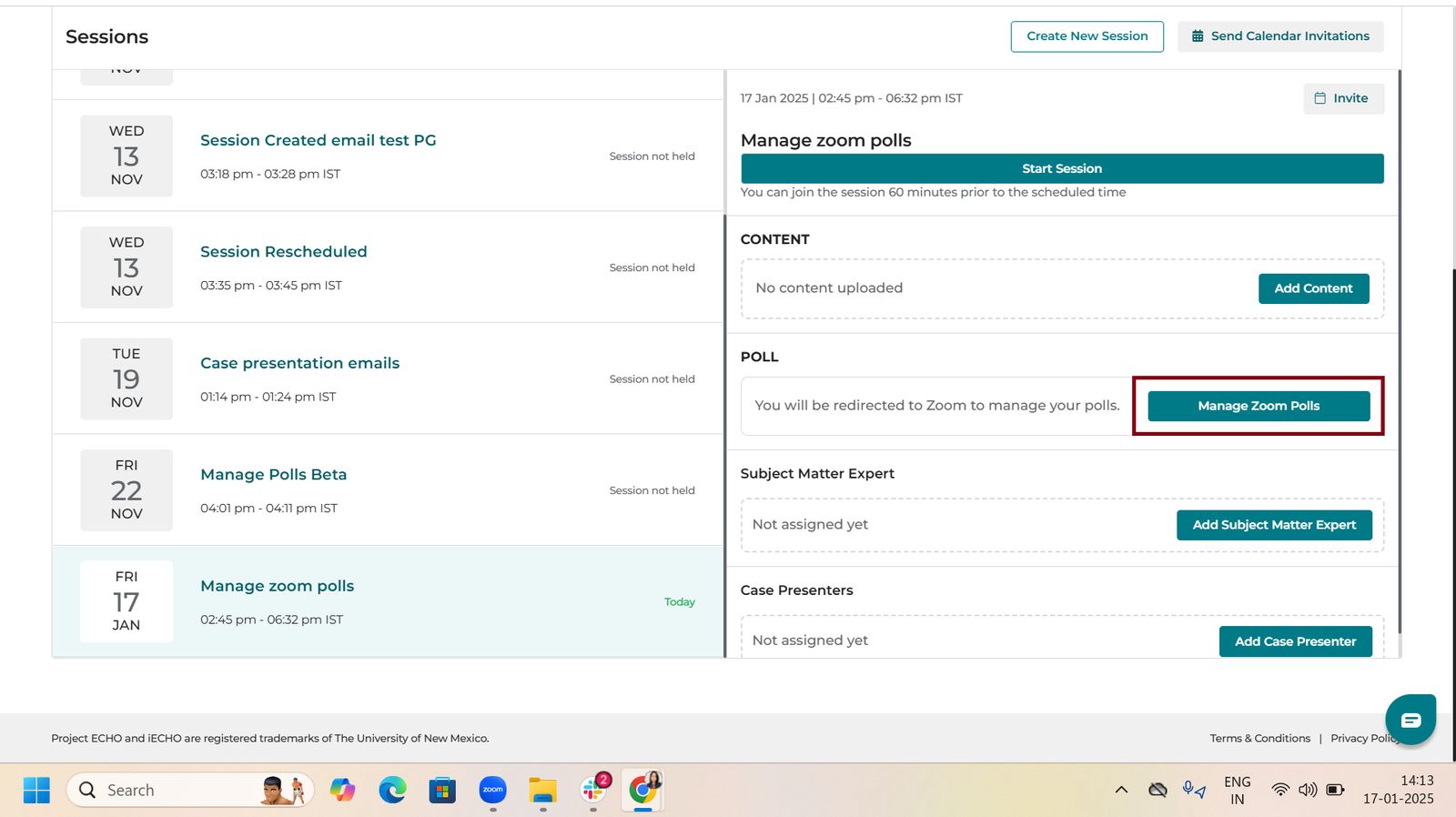
- You will be redirected to Zoom to create or modify a poll.
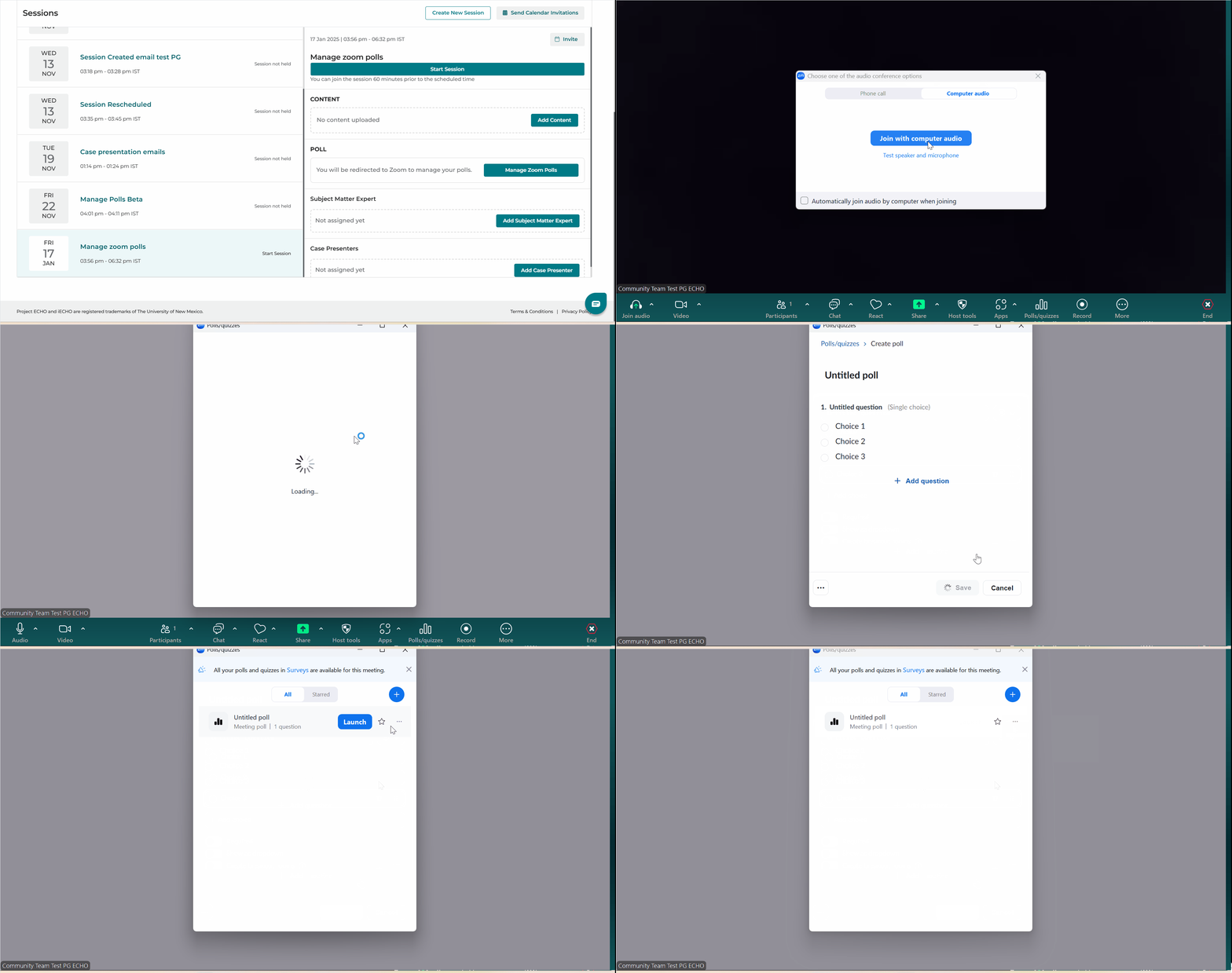
- When saving, select Save as meeting poll.
Watch this video to learn how to add polls to a session:
Note:
1. View polls directly in the Zoom pop-up window for immediate access during the session.
2. Download poll results from iECHO 24 hours after the session ends.
3. Downloading poll data is available at the session level only. (Participant group data is not available.)
4. Downloading poll data is available for up to 6 months from the first scheduled session.
Note:
If a poll question is launched more than once during a session, Zoom will only record the latest response. Since teams often use the same poll questions for pre- and post-session evaluations, it is important to create separate questions for each instance to ensure all responses are captured accurately.
For details on Zoom's polling feature, read the following:
Zoom Support - Poll Report
Zoom Support - Advanced Polling for Meetings
Zoom polling alternatives:
- Poll Everywhere: https://www.polleverywhere.com
- SurveyMonkey (Live Polling feature): https://www.surveymonkey.com/mp/online-polls/
- Kahoot: https://kahoot.com
These tools allow you to customize poll questions, view responses in real time, and keep participants engaged during sessions.
You can share the poll link in the Zoom chat so participants can open it directly.
Related articles: