
Setting a secure password is important to help ensure your account stays safe and protected. Your password is stored in an encrypted format.
ECHO employees cannot view your password, and we will never ask you for your password or one-time password (OTP). If you are contacted by anyone asking for your iECHO password or OTP, please contact iECHO support immediately at support@iecho.org.
If you forgot your password:
- On the login page, select Continue with Email.
- Enter your registered email address and click Continue.
- Click Forgot Password?.
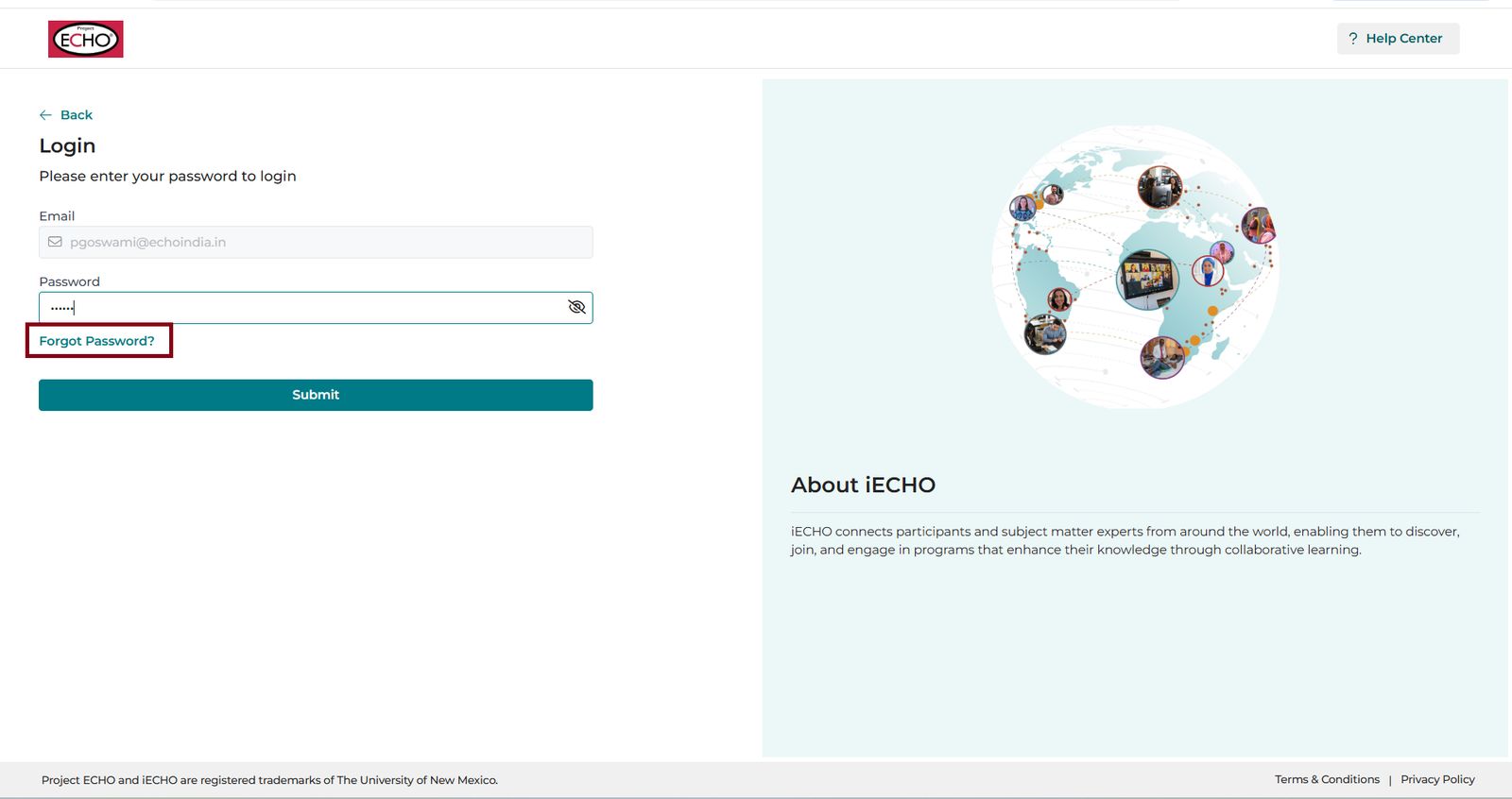
- Enter your registered email address and click Send Reset Link.
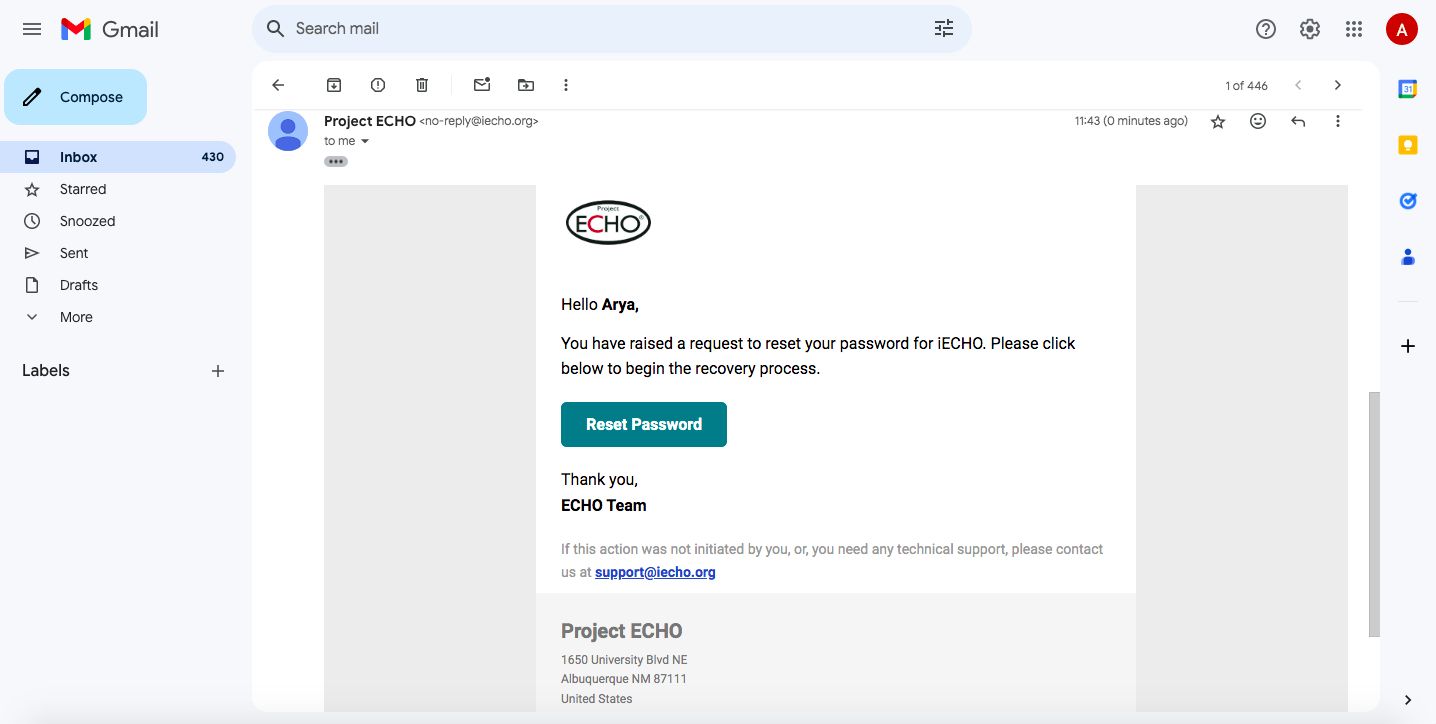
- Check your registered email inbox and click Reset Password in the message.
- Enter and confirm your new password, then click Reset Password to confirm and log in.
If you know your password but want to change it:
- Open your profile dropdown menu.
- Click Edit Profile.
- Navigate to Settings and select Change Password.
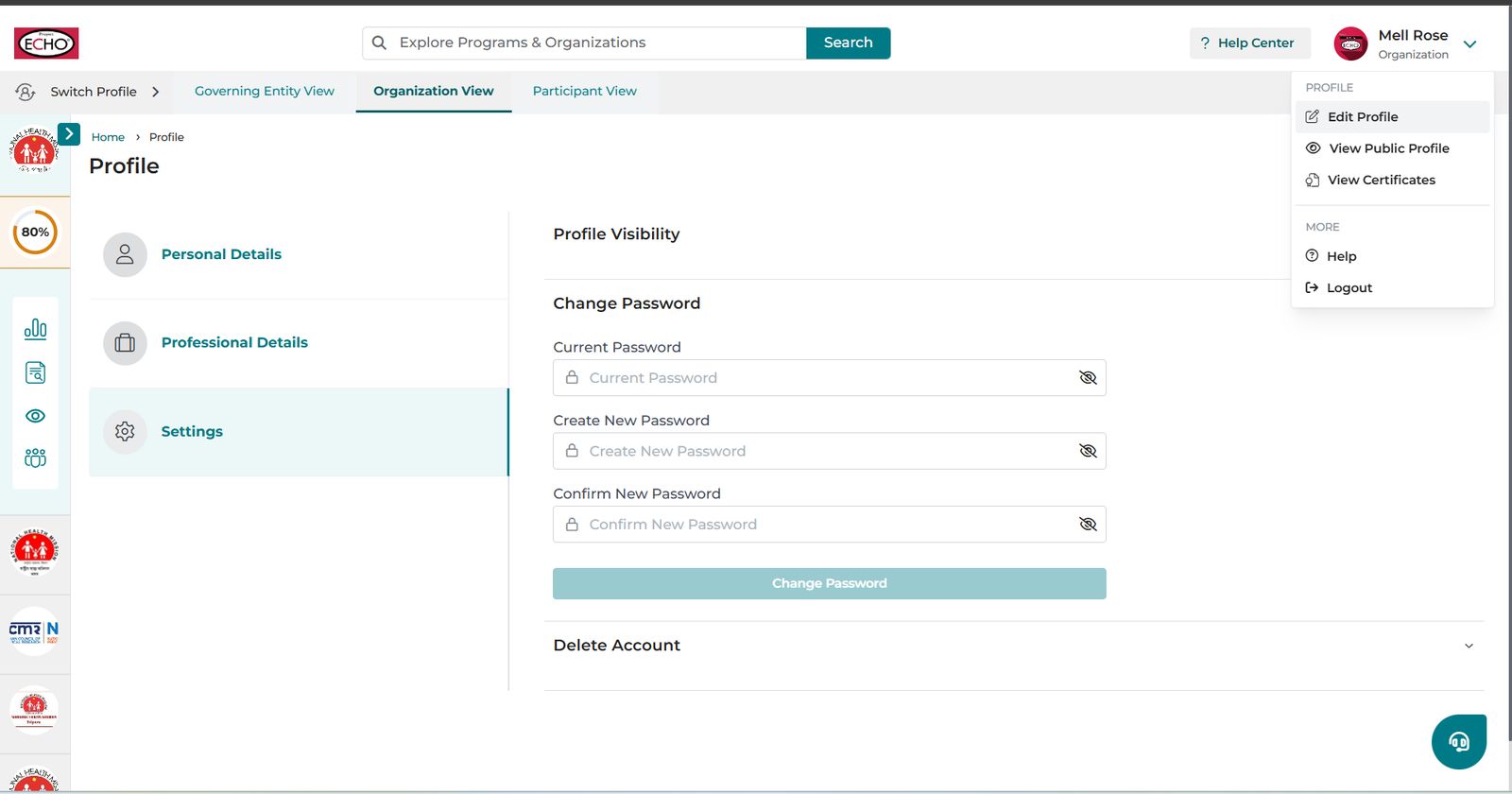
- Enter your current password.
- Enter and confirm your new password.
- Click Change Password to save.
Password Requirements
Your new password must include:
- Minimum 10 characters
- At least one uppercase letter (e.g., A–Z)
- At least one number (e.g., 0–9)