
iECHO enables hubs to easily remove participants from a participant group, allowing for streamlined management and ensuring that only relevant individuals remain part of the group. Participants can be removed from both the active and invited lists.
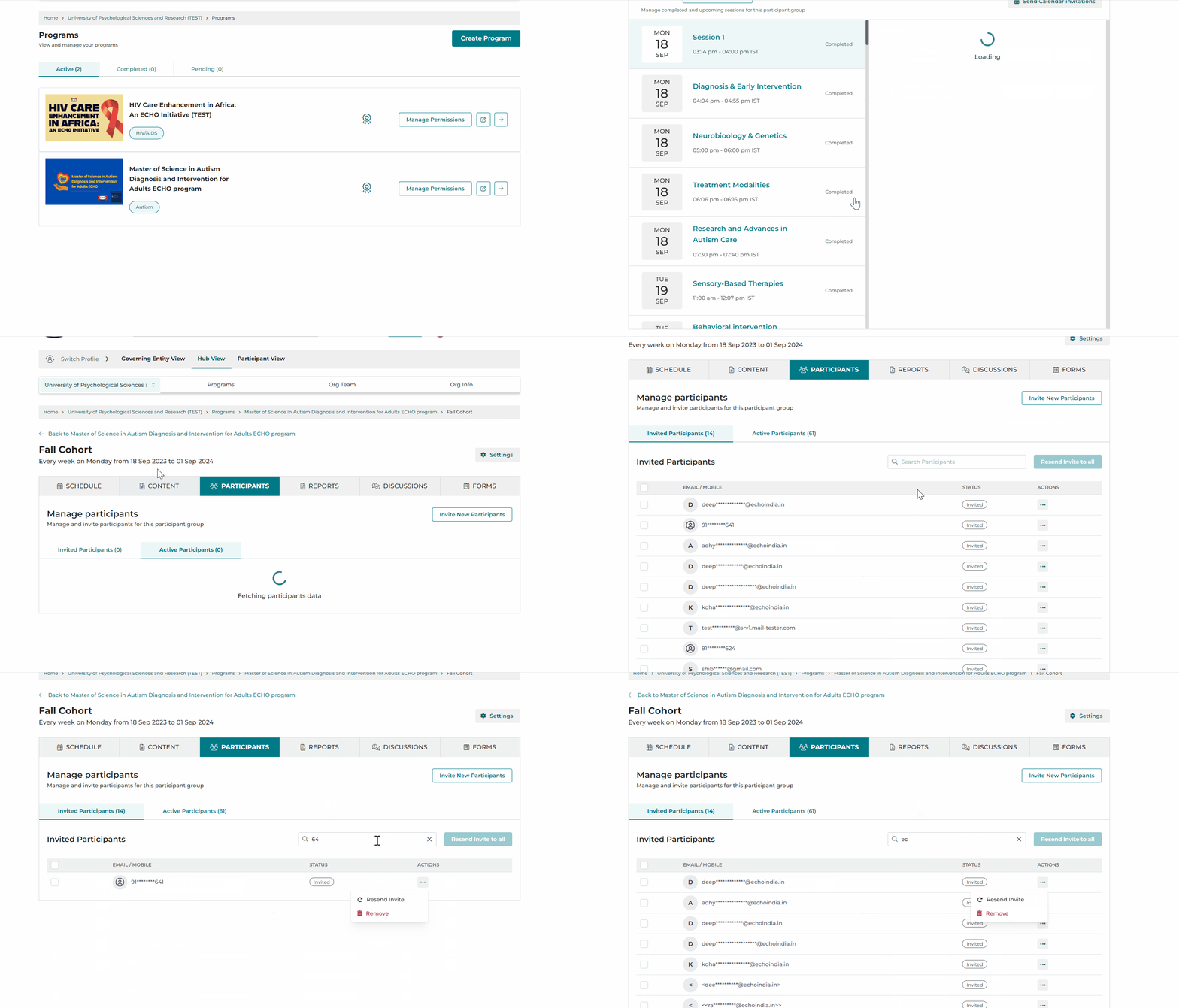
Here is how to access the remove feature in the Participants tab:
- From your iECHO homepage, open the left panel and select All Programs.
- Select the program, then select the participant group from which you want to remove participants.
- Navigate to the Participants tab.
Under Invited Participants:
- Scroll down to select the participant you wish to remove.
OR
- Use the search option located next to the Resend Invite to All button to find and select the participant you wish to remove.
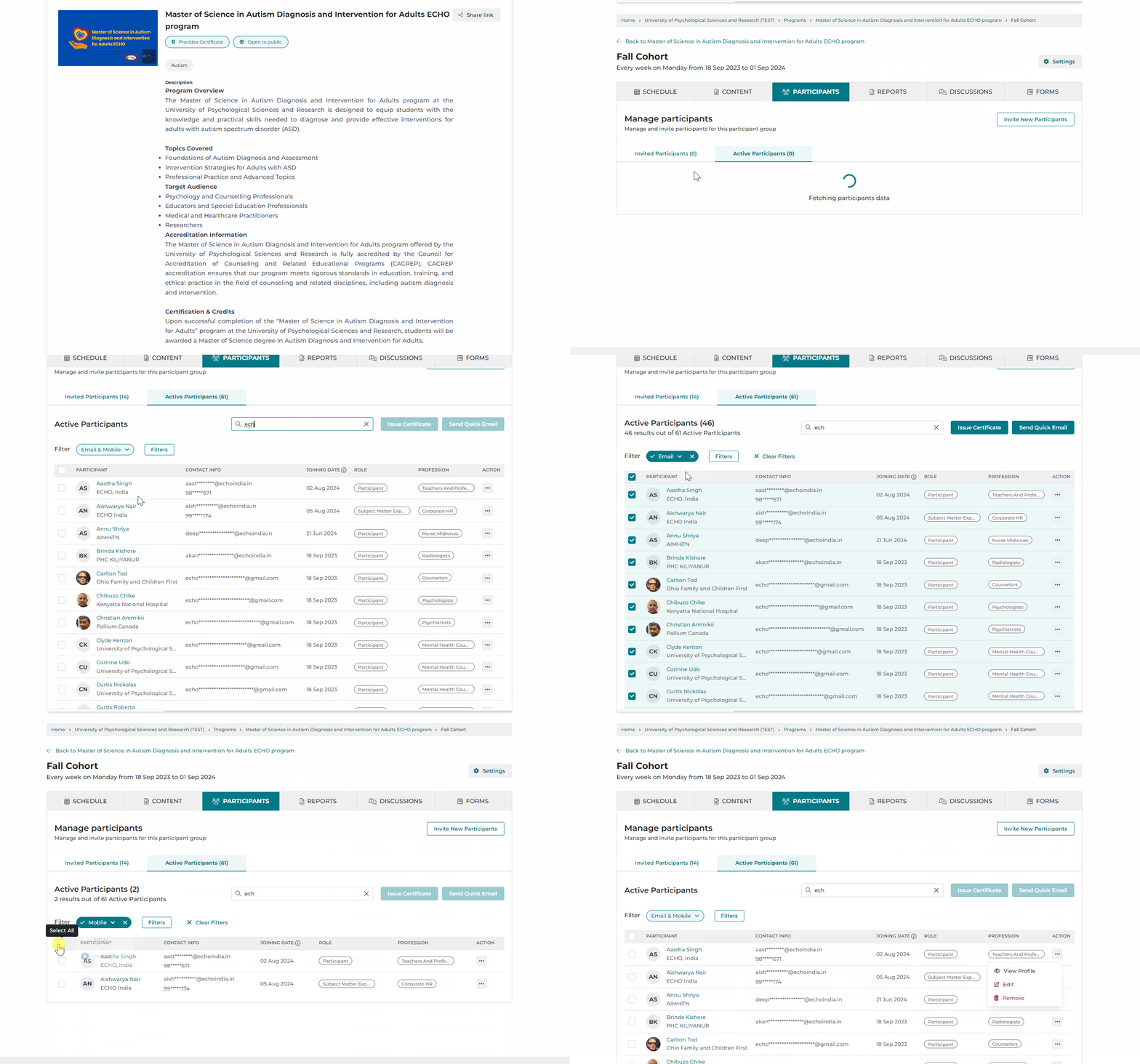
Under Active Participants:
- Scroll down to select the participant you wish to remove.
OR
- Use the search option located next to the Issue Certificate button to find and select the participant you wish to remove.
Use the Filter option to view and select participants registered using email or mobile.
Related articles:
How to Filter & Sort Active Participant List