
Guest participants can join iECHO sessions in a public program without registering on iECHO. They can join using a direct link sent to their email address. Organizations can invite guest participants up to 60 minutes before a session starts.
Follow these steps to invite guest participants to a session:
- Select a participant group within a public program.
- Go to Schedule.
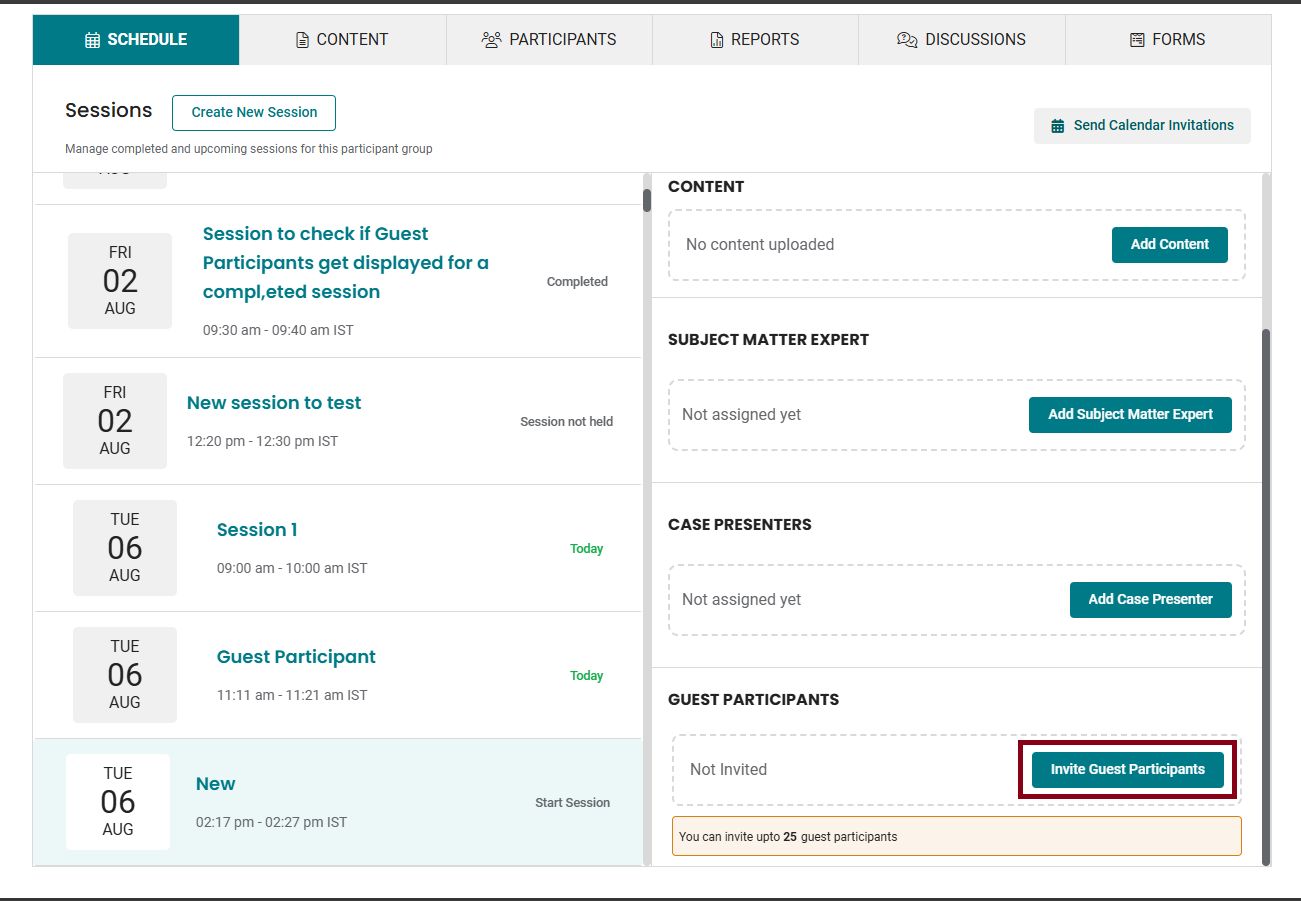
- Select the session you want to send an invite for, and click Invite Guest Participant in the session details section.
- Enter the First Name, Last Name, and Email ID of the participant.
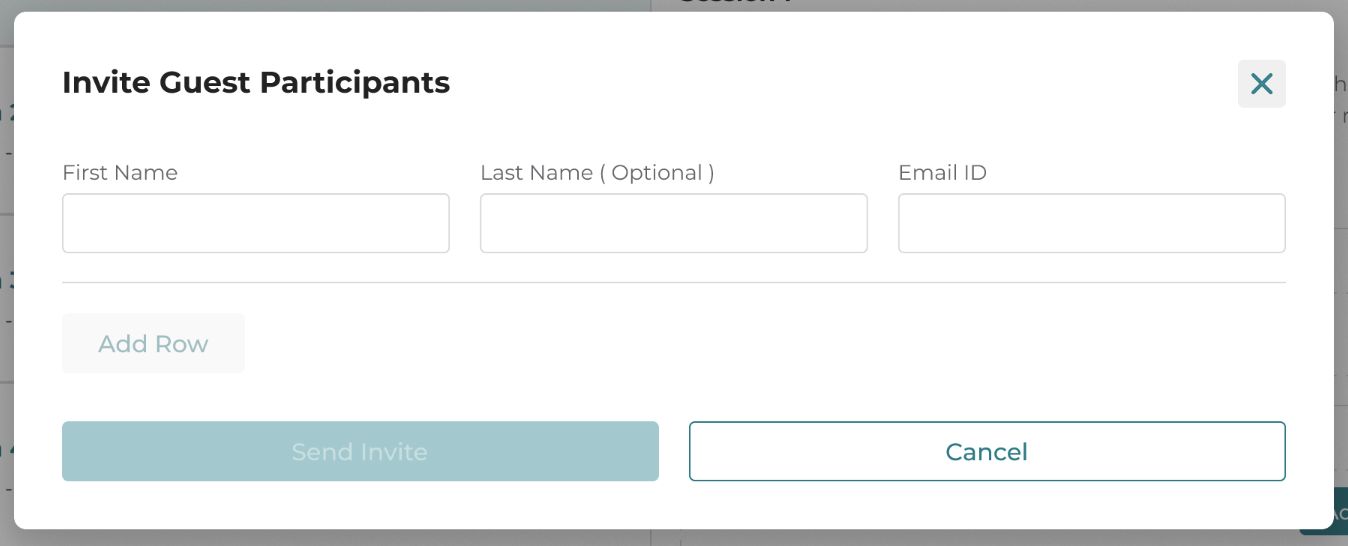
- Click Send Invite.
Note:
1. A maximum of 25 guest participants can be invited to a specific session.
2. An individual can only be invited as a 'guest participant' to a participant group three times. After joining three sessions as a guest, they must register on the platform to join subsequent sessions in that participant group.
3. Attendance reports for guest participants will show only their 'name' and 'email address', until they register on iECHO through an invitation sent by the hub.
Related Articles: