
iECHO's integration with your preferred calendar and the ability to send calendar invites serve as effective reminders to ensure participants join sessions on time. By syncing sessions with your calendar, participants receive timely notifications and alerts, helping them stay organized and reducing the likelihood of missed or delayed attendance.
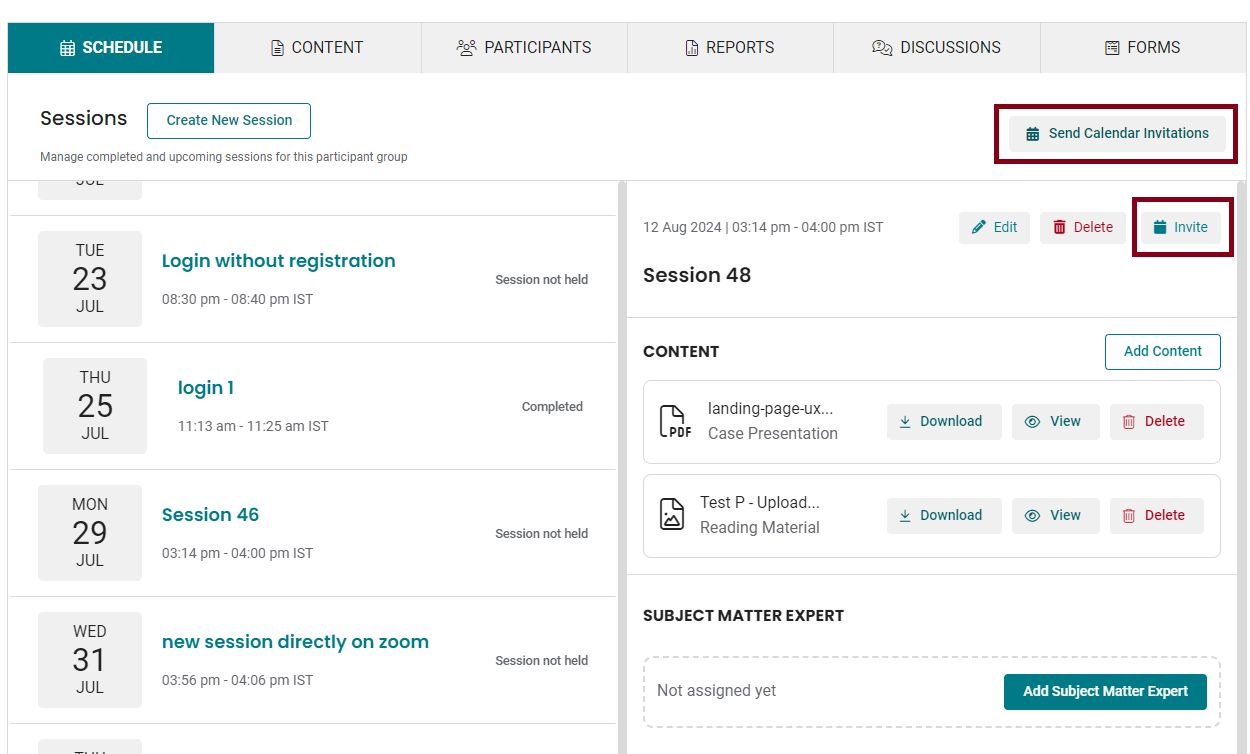
Here is how you can send calendar invites:
Session Calendar Invite to Active Participants
The Session Calendar Invite to Active Participants feature allows you to send automatic calendar invites specifically to participants who are actively involved in your sessions.
- From your iECHO homepage, open the left panel and select All Programs.
- Select the program for which you want to send calendar invites for a particular participant group.
- Go to the Schedule section and select the session.
- Click the Invite button next to the Delete session button.
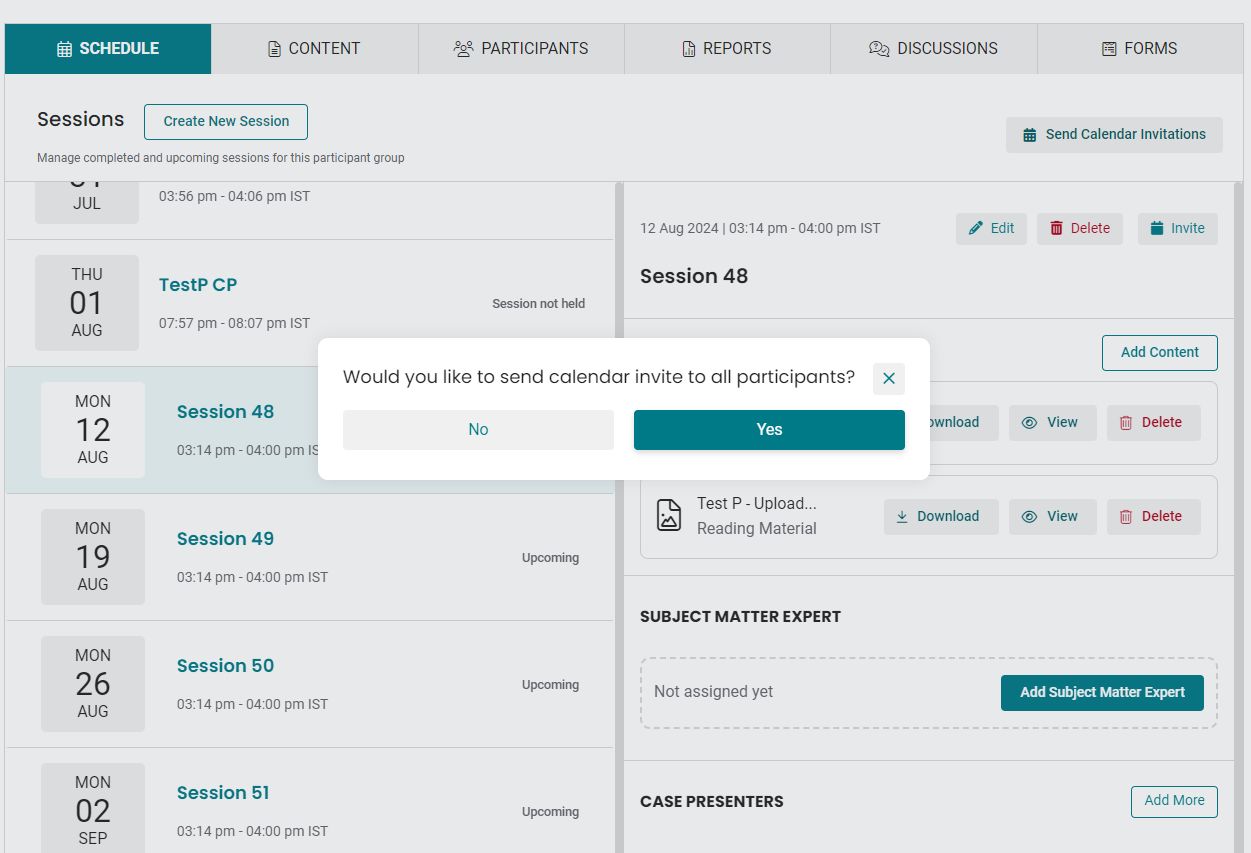
- Click Yes in the pop-up confirmation prompt to send invites to all participants in the group.
Bulk Calendar Invites to Active Participants
The Bulk Calendar Invites to Active Participants feature lets you send calendar invites for multiple sessions at once, increasing your scheduling efficiency and ensuring all relevant participants are promptly informed.
- Select the participant group to which you want to send invites.
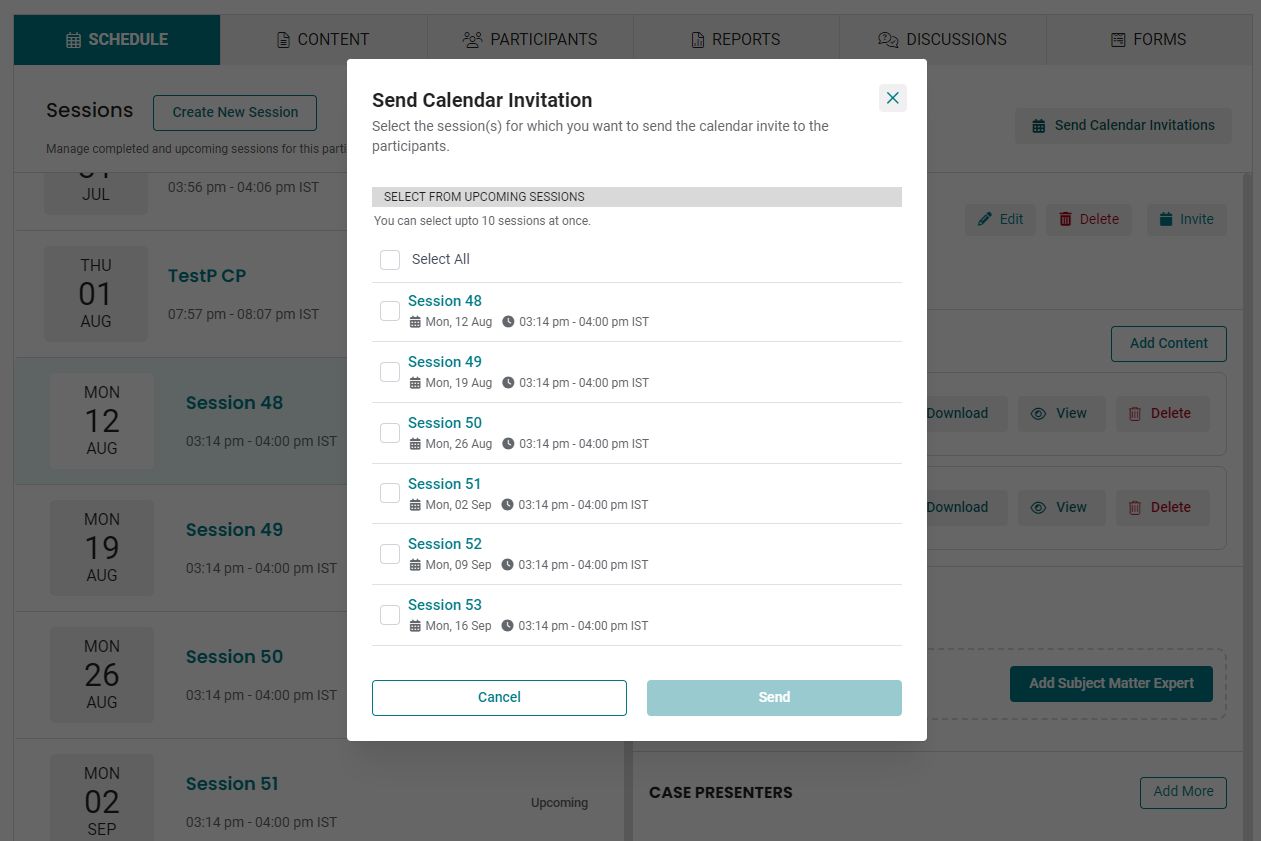
- In the Schedule section, click Send Calendar Invitations in the top-right corner above the session details section. A list of upcoming sessions will appear.
- Select the sessions for which you would like to send invites (you can select up to 10 sessions at once) or click Select 10 sessions.
- Click Send to send the calendar invites.
iECHO automatically sends calendar invites to new participants added to the participant group.
If the repeating schedule for the participant group is edited, bulk calendar invites must be reshared manually.
Related Articles: