
Explore detailed, filter-enabled views of your consolidated program data, surveys, and participant engagement - all from one centralized space.
Here is how you can access analytics:
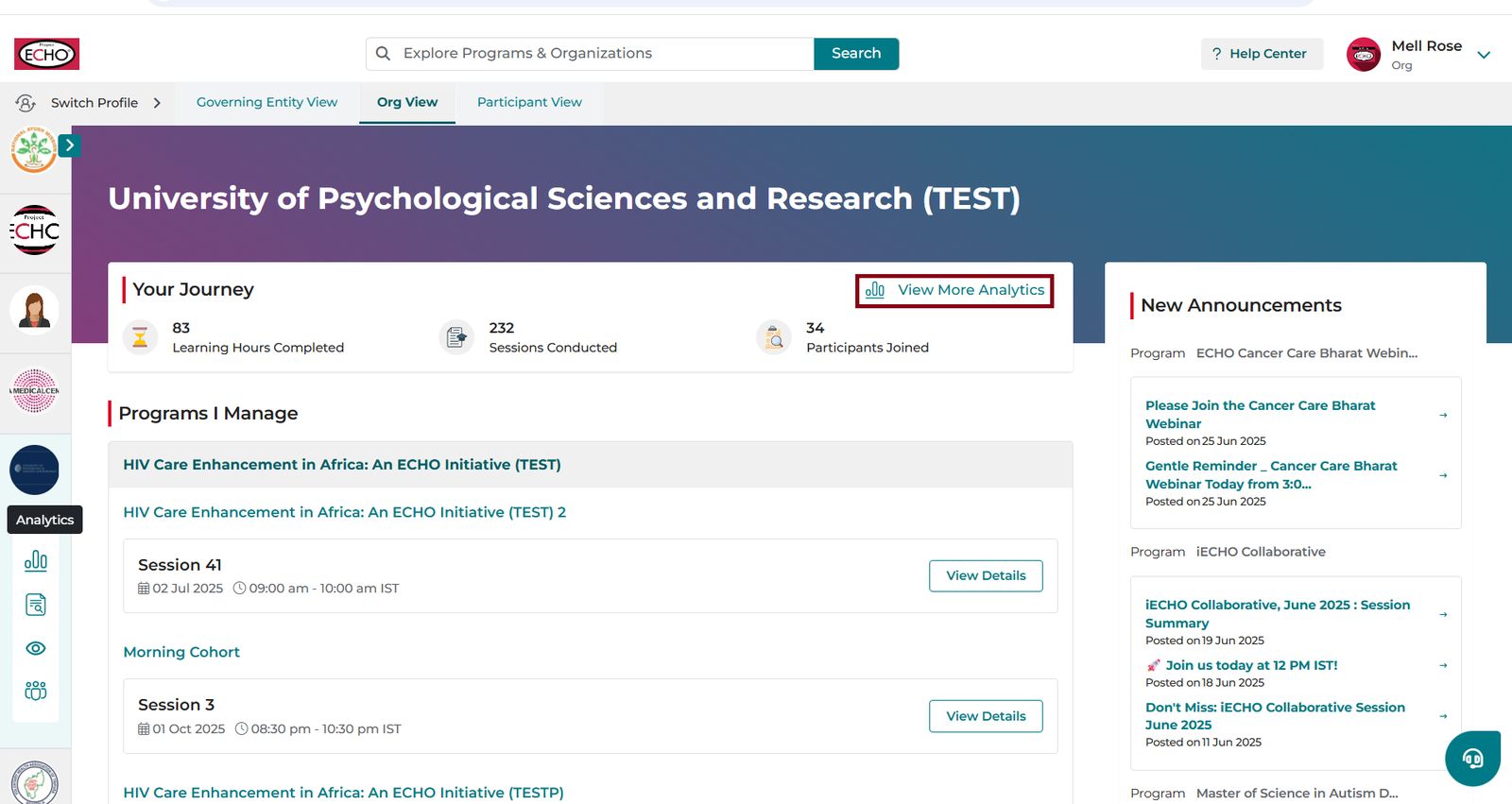
- Log in to iECHO.
- From the homepage, click the Analytics icon to access Analytics.
- Alternatively, click View More Analytics in the Your Journey section.
- Click Analytics to open your organization’s dashboard.
How the Analytics Center is organized
The Analytics Center has three tabs:
| Tab | What it covers |
|---|---|
| Overview | Attendance, participant engagement, punctuality, retention, professional distribution, and geography |
| Forms | Feedback from participants - NPS, knowledge shift, intention to apply learning, relevance, and session format balance |
| Participants | Individual participant-level data including sessions joined, certificates awarded, and session participation |
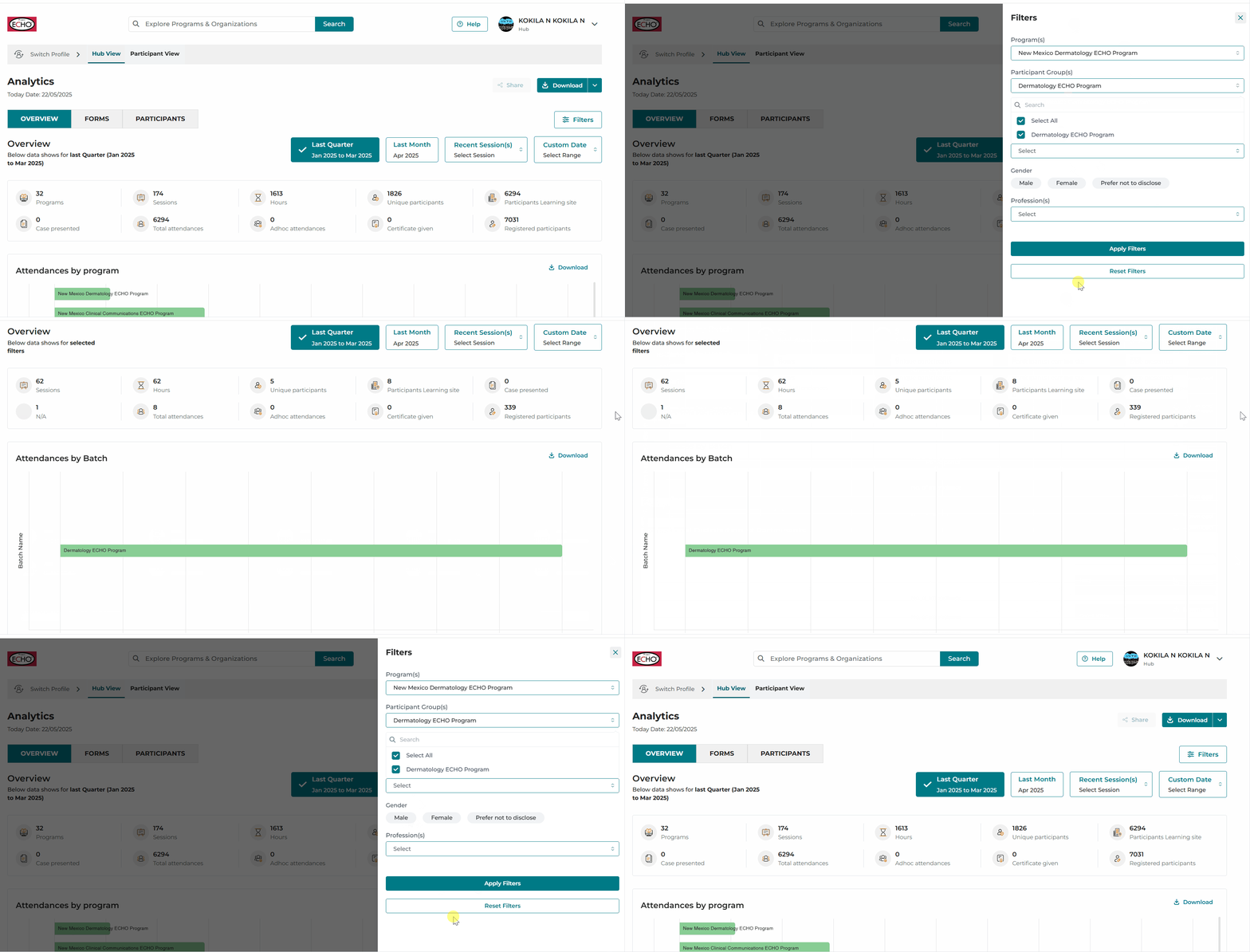
You can apply filters by Program, Participant Group, Focus Areas, or Session, and choose a Time range - Previous Quarter, Previous Month, Recent Session, or Custom Date.
FAQs (Frequently Asked Questions)
Q: Why do the numbers in the 'Analytics Overview' not match expectations?
Please verify selected date ranges and filters. If your most recent session isn’t visible, check again after 24 hours.
Q: Can I download the information?
Yes. Click on Download for a CSV Export or PDF.
For visual representations and charts, click on Download , at the top right corner of the chart for a JPG image.
Q: What is the exact historical period covered when selecting "Overall" in the custom date filters?
For overall data, it covers all data starting from the first actual live session associated with a participant group created under the organization's initial program on iECHO.
Q: Data is not available, (example feedback shows 0)?
This might be because there are no responses received for the selected time range.
Q: What does a number like '20/39' in 'Session Joined' mean for a participant?
It indicates 20 sessions attended out of the 39 sessions that were conducted within the participant group(s) that individual was part of.