
iECHO allows you to automatically issue certificates when participants submit feedback for a session. You can configure automatic certificate issuance for different recognition types, including Participation, Program Completion, Case Presentations, and Subject Matter Expert (SME) recognition.
Once enabled, certificates are automatically issued to eligible participants after they submit the required feedback, reducing the need for manual certificate issuance.
📌 Quick Navigation
- Enable certificates for a program
- Choose a certificate issuance method
- Add certificate issuance criteria
Enable certificates for a program
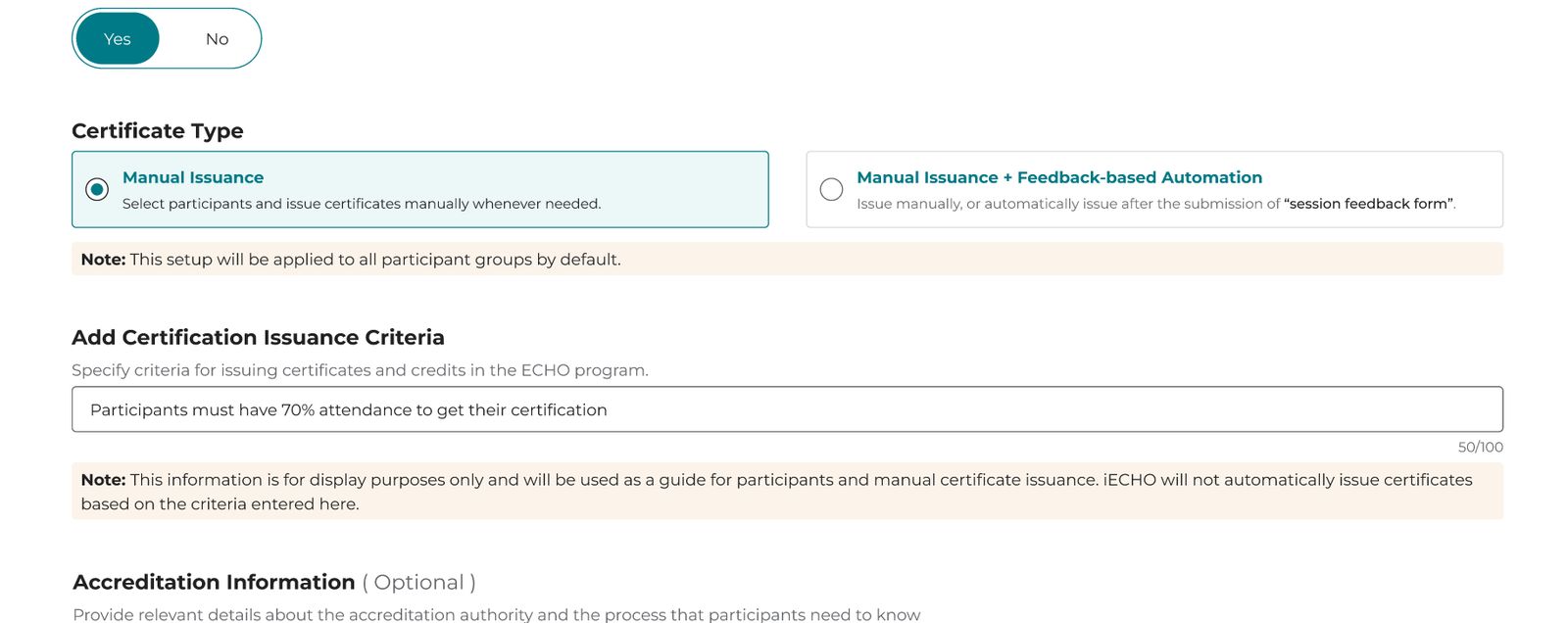
To create certificates, You would need to enable the program with certificate features by switching on the toggle for Provide Certificate while creating the program.
See the image below.
Choose a certificate issuance method
Once you select Yes, the Certificate Type options will appear.
You can choose between the following options:
Note : The manual issuance option will always be available if the provided certificate toggle is turned Yes.
Option 1: Manual Issuance
Select Manual Issuance when certificates will be reviewed and issued manually.
With this option, program administrators can:
- Select the participants who are eligible for certification.
- Review their completion or eligibility status.
- Issue certificates manually when required.
Use this option when:
You want full control over who receives a certificate.
Example:
You may want to review participant attendance and other requirements before issuing certificates.
Option 2: Enable Manual Issuance + Feedback-based Automation
Select Manual Issuance + Feedback-based Automation when you want the flexibility to issue certificates manually or automatically issue them after participants submit the required Session Feedback Form.
See the image below.
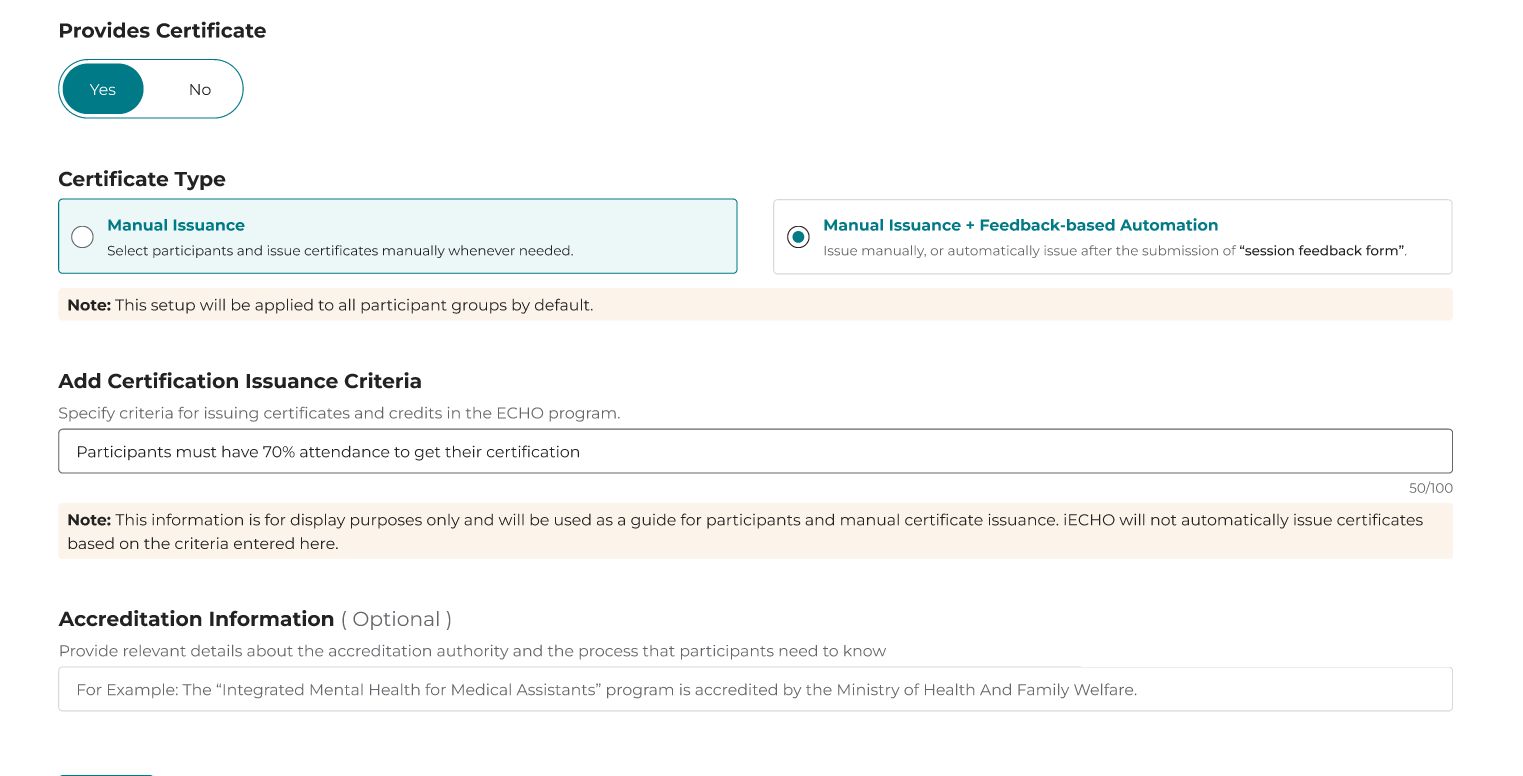
This option allows certificates to be issued:
- Manually by an administrator, or
- Automatically after the participant submits the required session feedback.
Use this option when:
You want to reduce manual work while using participant feedback submission as part of the certificate process.
Note - After enabling the Provide certificate option, select Manual Issuance + Feedback-Based Automation. This certificate issuance method will apply to all participant groups within the program.
Add certificate issuance criteria
After selecting the certificate type, you can define the criteria participants should meet to receive certification.
Go to Add Certification Issuance Criteria.
Enter the requirements that participants should follow.
See the image below.
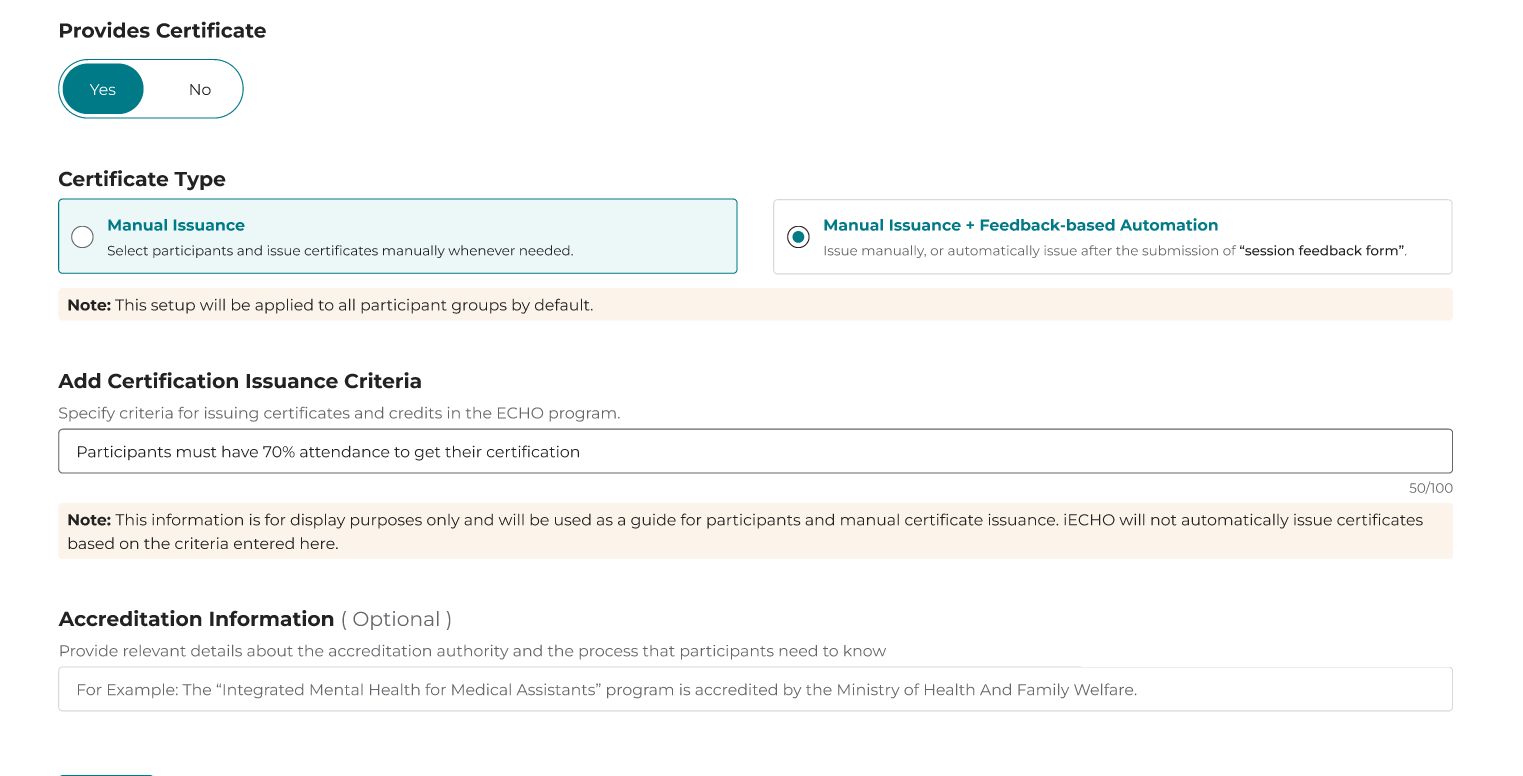
Example - Participants must have 70% attendance to get their certification.
You can use this field to communicate requirements such as:
- Minimum attendance
- Program completion requirements
- Other eligibility conditions
Important
The certification criteria entered in this field are for display and guidance purposes only.
iECHO does not automatically issue certificates based on the criteria entered in this field.
For example, if you enter:
Participants must have 70% attendance to get their certification.
The system will not automatically identify participants with 70% attendance and issue their certificates solely based on this input.
Frequently Asked Questions
1. Can I provide certificates for my program?
Yes. While creating or editing a program, go to Certificate Settings and select Yes under Provides Certificate.
2. What certificate issuance options are available?
You can choose between:
- Manual Issuance – Certificates are reviewed and issued manually by an administrator.
- Manual Issuance + Feedback-Based Automation – Certificates can either be issued manually or automatically after participants submit the required Session Feedback Form.
3. What is Manual Issuance?
Manual Issuance allows program administrators to select eligible participants, review their completion or eligibility status, and issue certificates manually. This option is useful when administrators want full control over who receives a certificate.
4. What is Feedback-Based Automation?
Feedback-Based Automation allows certificates to be issued automatically after a participant submits the required Session Feedback Form. Administrators can also continue to issue certificates manually when needed.
5. Can I use both manual and automated certificate issuance?
Yes. Select Manual Issuance + Feedback-Based Automation to give administrators the flexibility to issue certificates manually or have them issued automatically after the required participant feedback is submitted.
6. Can I set certificate eligibility criteria, such as minimum attendance?
Yes. You can add requirements under Add Certification Issuance Criteria, such as minimum attendance, program completion, or other eligibility conditions.
7. Does iECHO automatically check the certification criteria I enter?
No. The certification criteria field is for display and guidance purposes only. iECHO does not automatically identify eligible participants or issue certificates based solely on the criteria entered in this field.