
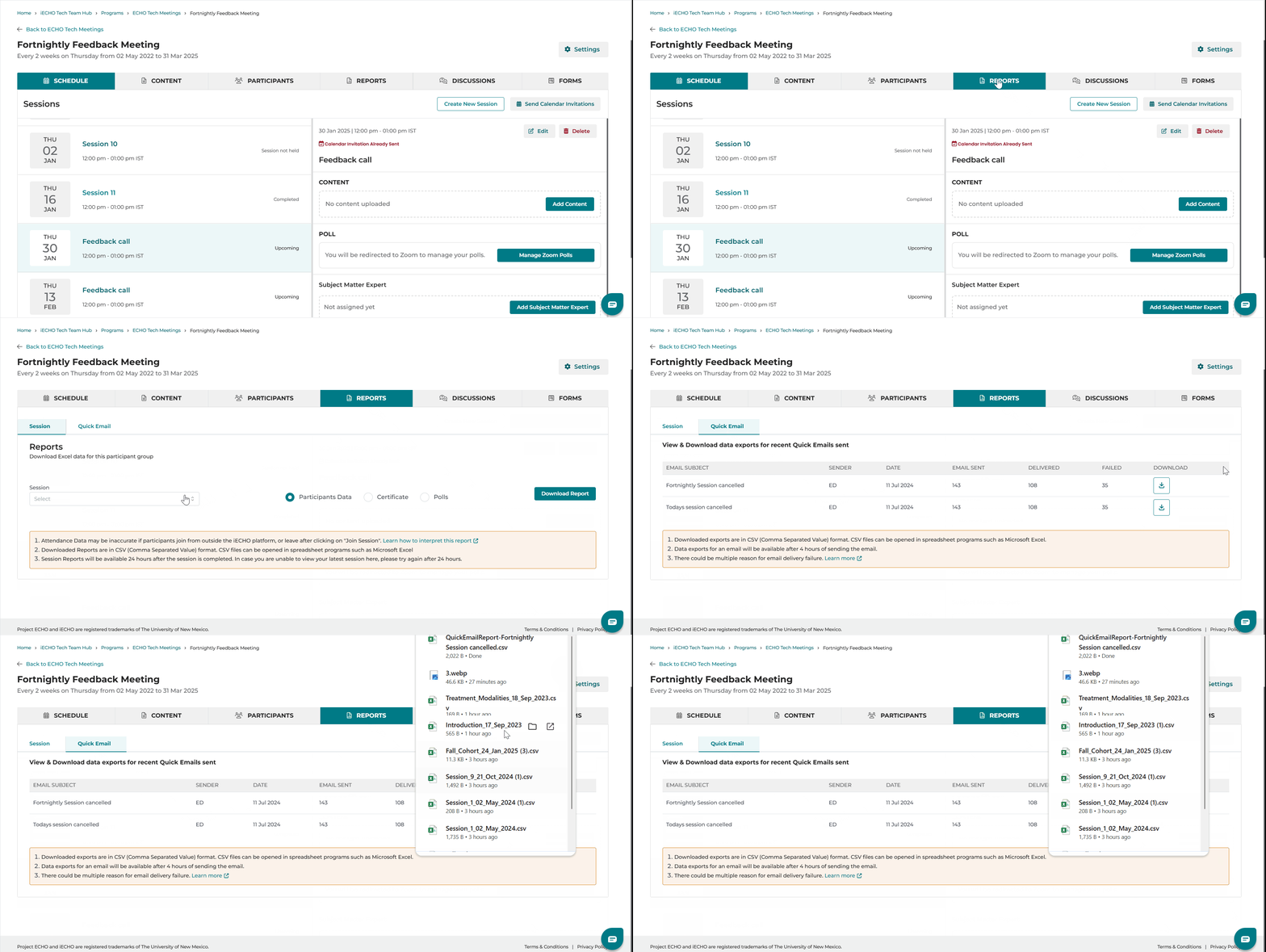
iECHO enables organizations to download reports with the Quick Email feature, offering insights into email performance, including delivery success, failures, and sender details. Reports also include reasons for email delivery failures to help organizations optimize future communications.
The list displays the 10 most recent Quick Emails sent to participants.
To access this report:
- From your iECHO homepage, open the left navigation panel and select All Programs.
- Select the program and participant group for which you want to download the Quick Email report.
- Go to Reports.
- Select Quick Email next to Session.
- Choose an email from the list based on subject line, sender, or date.
- Click the download icon in the last column under Download to generate a CSV report.
Watch this tutorial to learn how to access the Quick Email report:
Understanding the Report
| Field | Description |
| Email ID | Email address of the recipient. |
| Sent Status | The delivery status of the email: • Bounce (Permanent): The email could not be delivered due to a permanent issue (e.g., invalid recipient address). The email will not be retried. • Bounce (Transient): The email delivery failed temporarily due to issues like server downtime or a full mailbox. Delivery will be retried for a limited time. • InProgress: The email is in the process of being delivered; a final status has not yet been determined. |
| Sent Date | Date and time the email was sent. |