
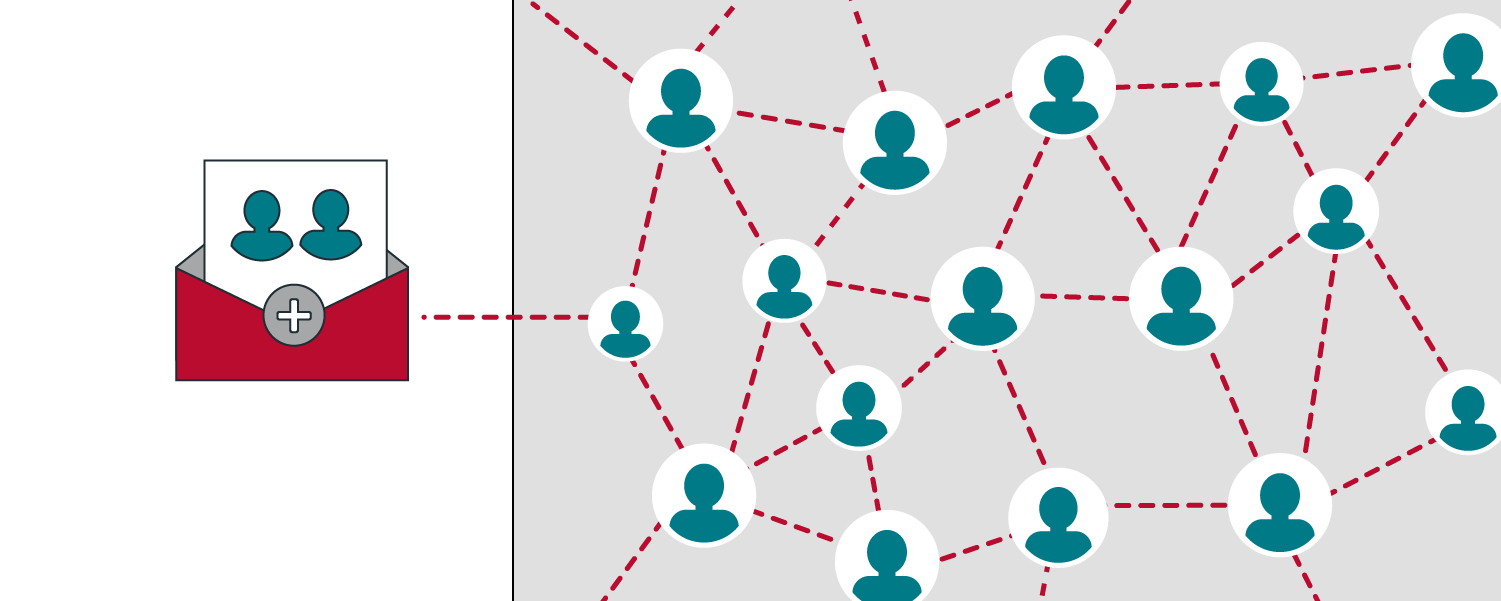
As an organization, you can customize your program's visibility settings by selecting between Public and Private based on factors like cohort size, distribution needs, and criteria such as certificates.
Participants on iECHO are learners who join sessions to collaborate, exchange knowledge, and enhance their skills.
Using iECHO, participants can access session schedules, program resources, and interactive discussions with experts and peers.
Private Programs: These are invitation-only and have restricted access. The organization team sends invitations to selected participants via phone or email. Only those who receive an invitation can register, keeping their personal information confidential. The organization team manages the registration process and can review or revoke access as needed.
Public Programs: These are open to anyone with the program link, allowing them to view details and register. Each program has a unique registration link provided to potential participants. Registration is limited to those with the link or an invitation. The organization team can review and remove access if needed. Public programs are searchable on the platform, making it easy for participants to find and join programs of interest.
Note: The unique link is a web address that grants access to register for a specific public program.
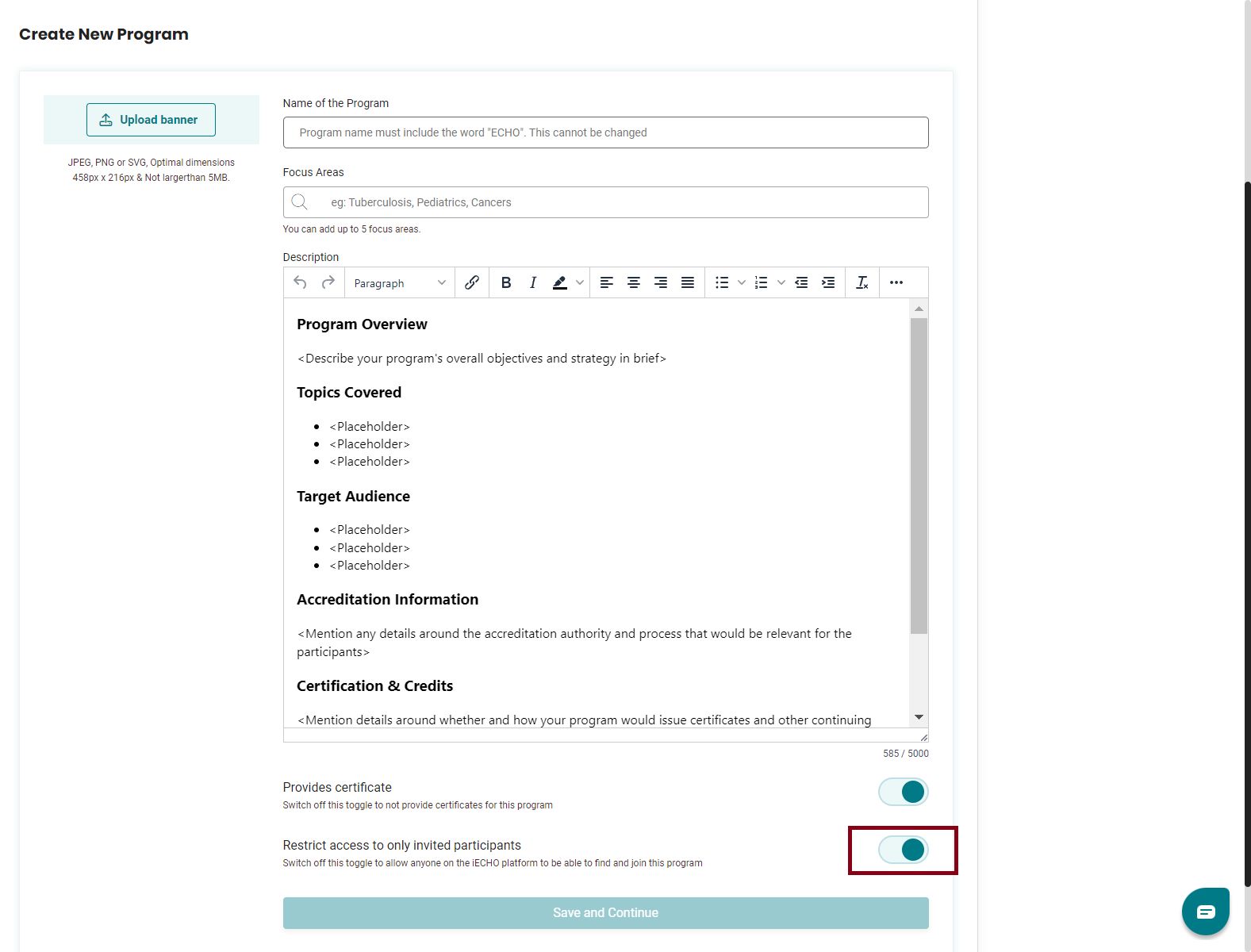
When creating a program, toggle the switch to On for private programs and Off for public programs.
ℹ️ The default invite limit is 450 participants for a participant group. Invitations can be sent to 230 participants at a time. Learn more about creating participant groups.
To change the visibility of a program after creation, please contact support@iecho.org.
Here is how you can invite participants to register:
Inviting participants through email
The easiest way to invite participants is by sending them an email invite through iECHO, which allows them to register and join the program. You can also customize the invitation to suit your specific needs.
System-generated program invite
- From your iECHO homepage, open the left panel and select All Programs.
- Select the program, then select the participant group to which you want to invite participants.
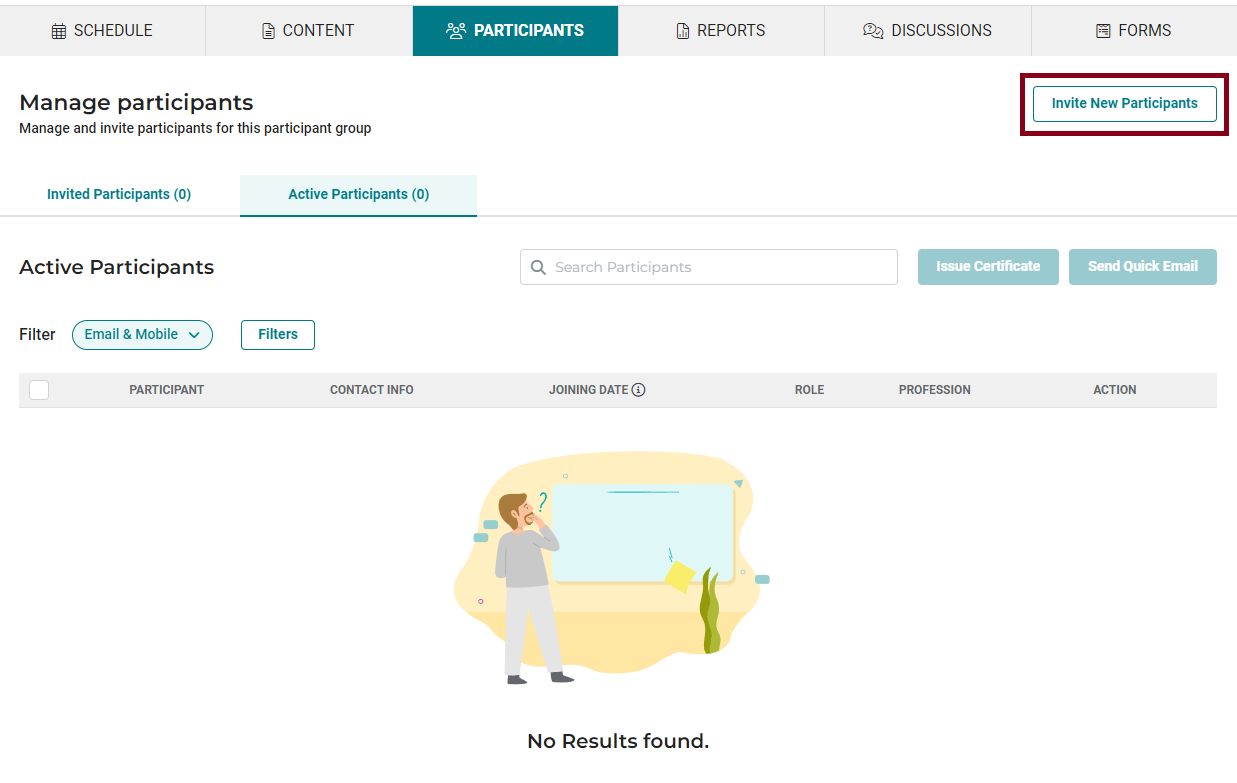
- Navigate to the Participants tab.
- Click Invite New Participants.
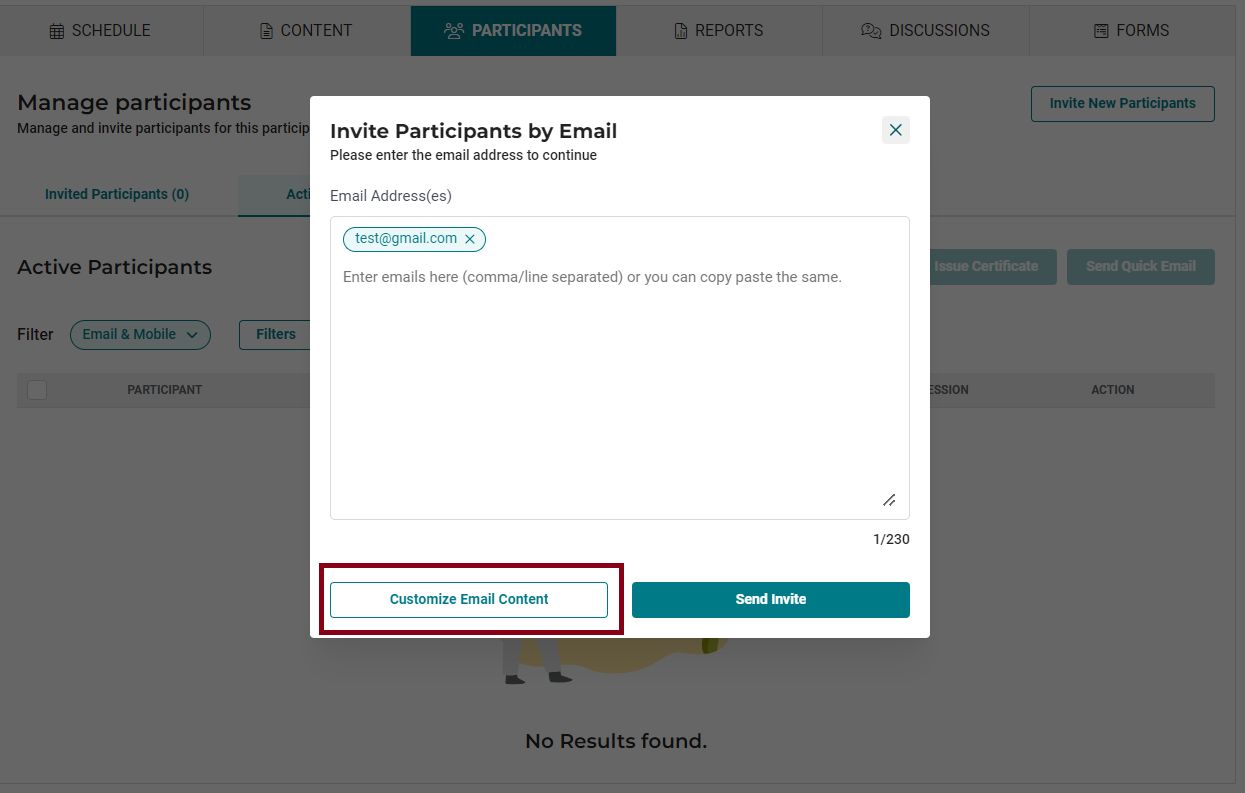
- Copy and paste or type the list of email addresses into the box under Invite by email.
Note: Separate email addresses with commas or line breaks.
- Click Send Invite to send a system-generated email invite.
- Your participants will receive an email from iECHO with a link to sign in and register for the program.
Customized program invite
The organization team can customize the program invite to include important details and tailor it to their preferences.
- Navigate to the Participants tab.
- Click Invite New Participants.
- Copy and paste or type the list of email addresses into the box under Invite by email.
Note: Separate email addresses with commas or line breaks.
- After adding the email list, select Customize Email Content.
- Enter the email body content, following the best practices.
Note: The content limit is 5,000 characters.
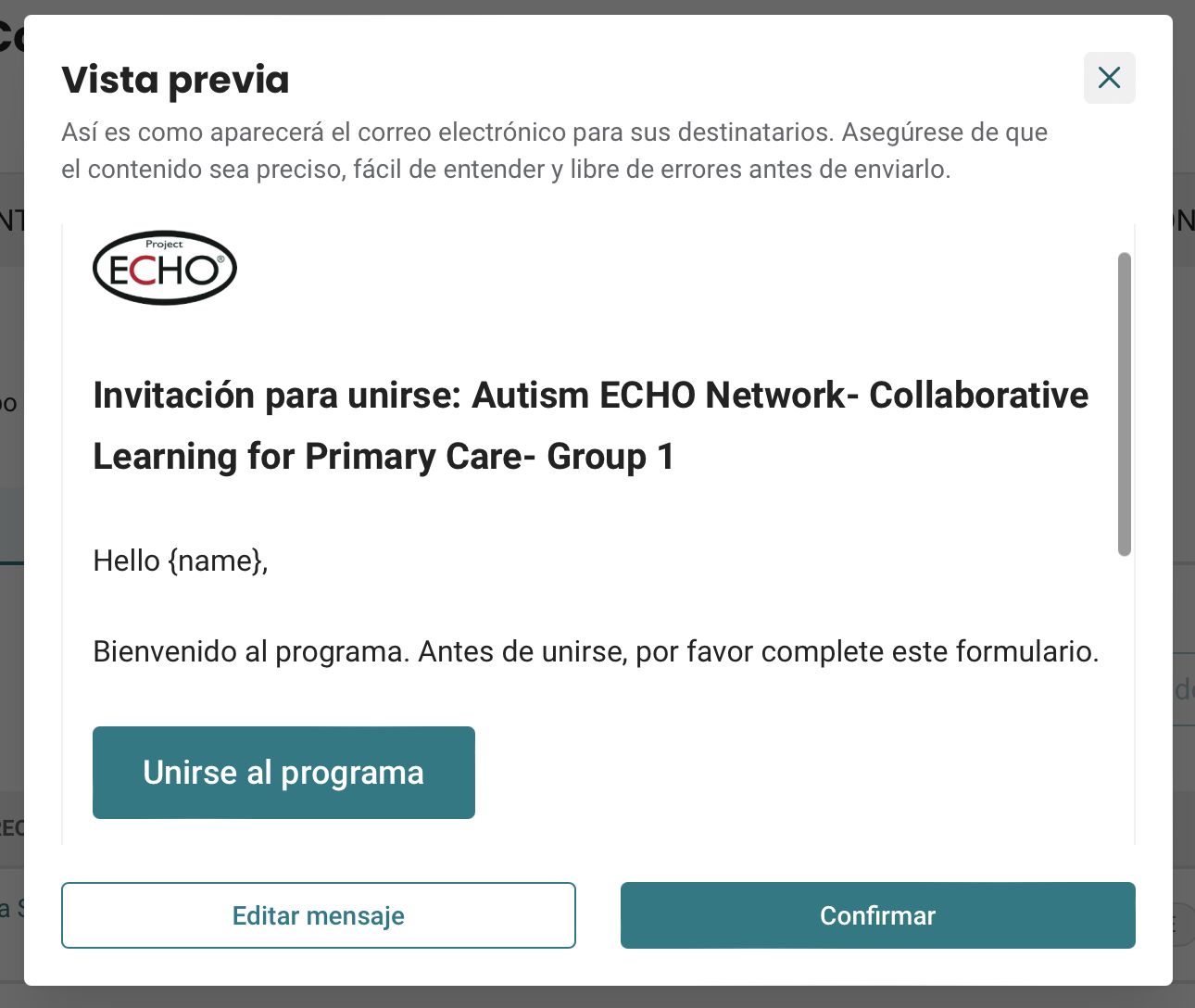
- Click Preview to review the email. If you need to make edits, click Edit Message.
- Select Confirm to send the invites.
iECHO translates the subject line, salutations, and 'Join Program' button based on the language settings of the person creating the invite.
It is available in Spanish, Portuguese, Vietnamese, Indonesian, French, and Brazilian Portuguese.
For example, if Arya Sawyer, a program admin at University of Psychological Sciences, sets her platform language to Spanish and creates a program invite, the email's subject line, salutation, and buttons will be in Spanish, reflecting her chosen language setting. These fields cannot be edited by the user; however, they can edit the body of the email.
Inviting participants through phone number (SMS)
For potential participants who do not use email, you can invite them using their mobile phone number.
❗ Currently, mobile invitations are only supported for phone numbers in India (+91 country code). If your participants are outside India, please invite them via email. We are actively working to make mobile invitations available globally.
- Navigate to the Participants tab.
- Click Invite New Participants.
- Copy and paste or type the list of phone numbers into the box under Invite by Phone Number.
Note: Ensure mobile numbers include the correct country code format (e.g., if the country code is +91 and the mobile number is 9876543210, enter "91-9876543210").
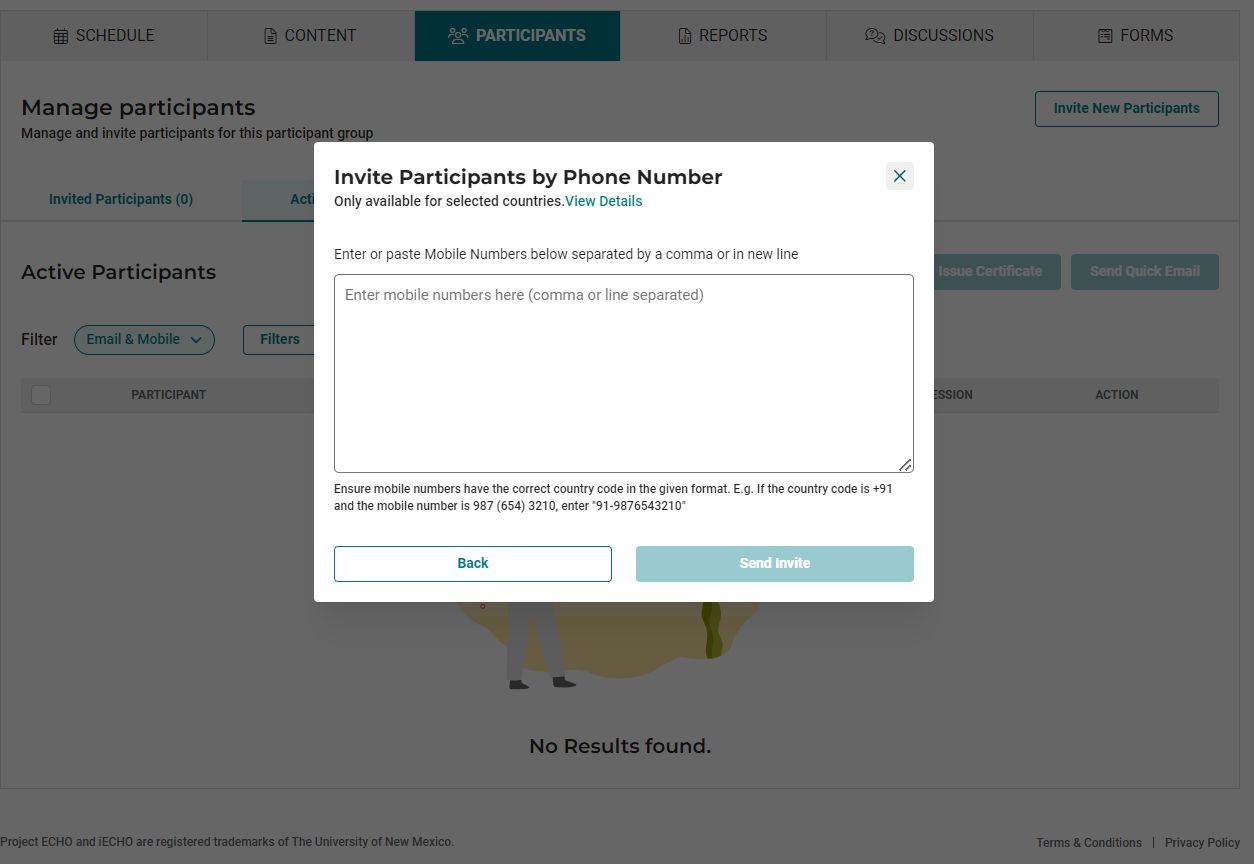
- Click Send Invite.
- Your participants will receive an SMS from iECHO with a link to sign in and access the program.
Watch this video tutorial to learn how to invite new participants:

Note: Please check for extra spaces or invalid characters when pasting email addresses or phone numbers in bulk.
Learn how to close registrations for public programs using the participant group settings.